1
ManageEngine Desktop Central :: Help Documentation
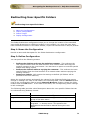
Configuring IP Printer
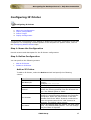
Configuring IP Printer
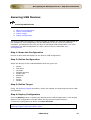
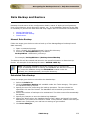
1.
2.
3.
4.
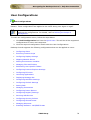
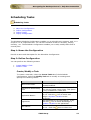
Name the Configuration
Define Configuration
Define Target
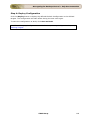
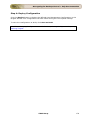
Deploy Configuration
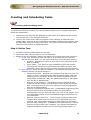
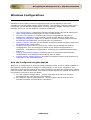
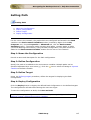
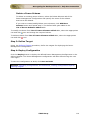
The IP Printer Configuration is for adding or deleting the IP Printer connection in the
computers. For configuring a shared or IP printers in the computer for specific users,
refer to the Configuring Shared Printer / Configuring IP Printer topics under User
Configurations.
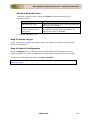
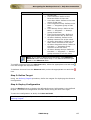
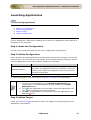
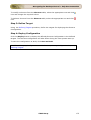
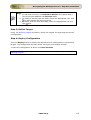
Step 1: Name the Configuration
Provide a name and description for the IP Printer configuration.
Step 2: Define Configuration
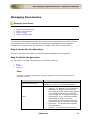
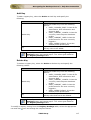
You can perform the following actions:
•
•
Add an IP Printer
Delete an IP Printer
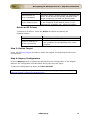
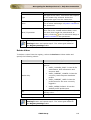
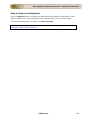
Add an IP Printer
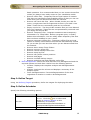
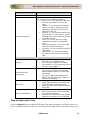
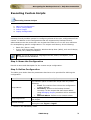
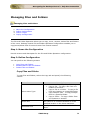
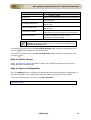
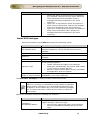
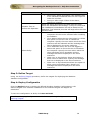
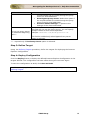
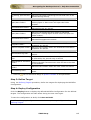
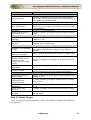
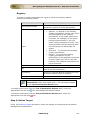
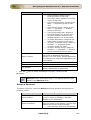
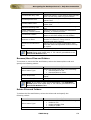
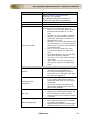
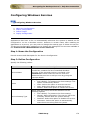
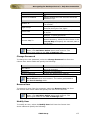
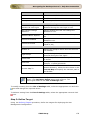
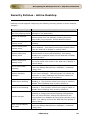
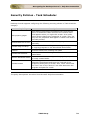
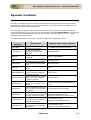
To add an IP Printer, select the Action as Add and specify the following
values:
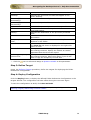
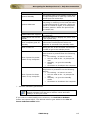
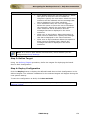
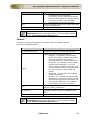
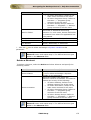
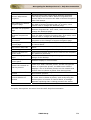
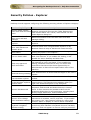
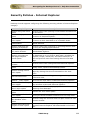
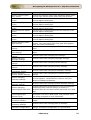
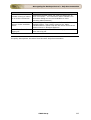
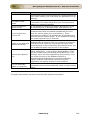
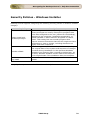
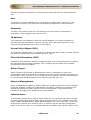
Parameter
DNS Name/IP
Printer Name
Protocol
Port Number
Port Name
Shared Printer for
Driver Installation
Description
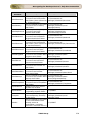
The host name or IP address defined for the
printer.
Example: 192.111.2.32
The display name for the printer.
The printing protocol supported by the printer.
Select the printing protocol from the Protocol list
box. The default option is "RAW".
The port number/queue name in which printing
protocol is communicating between the computer
and printer. Enter the port number in the Port
Number field if the "RAW" Protocol is selected or
enter the queue name if the "LPR" Protocol is
selected. The default value is 9100.
This is an optional field. By default, the port name
is IP_<IP_Address/DNS_Name>. You can change
the port name if required.
Browse to select a shared printer for installing the
driver. If the drivers are already installed in the
target computers, this field can be left blank.
ZOHO Corp.
151