1
5.4
WATCH RECORDED PROGRAMS
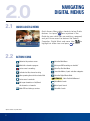
It.is.easy.to.access.all.your.recorded.programs,.
by.selecting.DVR.on.the.Main.Menu..Select.My.
Recordings.to.view.your.recordings..Press. or. .to.
arrange.the.listings.By.Title,.By.Date.or.By.Channel..
OK
Select.a.recording.by.pressing. SELECT
.Choose. .to.
resume.watching.this.recording.where.you.left.it.or.
to.restart.the.recording.from.the.beginning..To.delete.a.
program,.select.the. .icon.
5.5
CONTROL LIVE TV
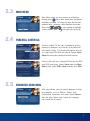
Using.your.DVR,.you.can.control.live.TV!.Anytime.you.
tune.to.a.channel,.the.DVR.begins.making.a.temporary.
recording.of.whatever.you’re.watching..So.you.can.
Pause.if.the.phone.rings,.Rewind.the.scene.you.
missed.and.Fast-Forward.to.return.to.live.TV.
5.6
INSTANT REPLAY
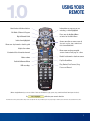
Press.Page.
or.
.on.your.remote.to.replay..
Press.Page.
repeatedly.to.continue.skipping.back.
in.15-second.increments.
5.7
SLOW-MOTION
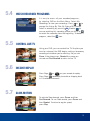
To.activate.Slow-forward,.press.Pause.and.then.
Fast-Forward..To.use.Slow-rewind,.press.Pause.and.
then.Rewind..To.return.to.regular.speed,.
press.Play.
11