1
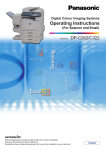
Operating Instructions
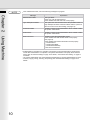
The following Operating Instruction manuals are included with this machine. Please refer to the appropriate manual
and keep all manuals in a safe place for future reference. If you lose a manual, contact an authorized Panasonic
dealer.
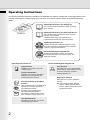
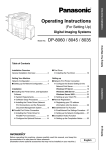
Operating Instructions (For Setting Up)
This manual contains essential information for setting
up the machine.
Accessories
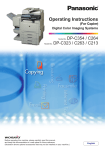
Operating Instructions (For Basic Operations)
This manual contains essential information for proper
operation of the machine.
It describes basic Copy, Print, Network Scan,
Facsimile/Internet Fax/Email, and other functions.
Operating Instructions CD
Contains manuals with detailed information for Copy
& Function Parameters, Facsimile/Internet Fax/Email
Functions, and User Authentication.
Document Management System CD
Contains the Application Software, and manuals
with detailed information for the Print function, and
Application software.
Operating Instructions CD
Copy Function
Print Function
Describes how to make a copy with
creative features.
Describes how to print, change default
printer settings, or describes the course
of action to take when a problem
message appears, etc.
Function Parameters
Describes how to change the default
settings of each function using the
Control Panel of the machine.
Facsimile and Internet Fax/Email
Function
(The Facsimile function is available when
optional Fax Communication Board
(DA-FG600) is installed.)
Describes how to send/receive a
Facsimile/Internet Fax/Email, or
describes the course of action to take
when a trouble message appears, etc.
User Authentication
Describes how to enable, and use the
user authentication function.
2
Document Management System CD
Application Software
Describes how to use the application
software.
Ex: Quick Image Navigator, Network
Scanner, Utilities (Network Status
Monitor, Address Book Editor, Device
Configuration Editor)