1
Log In to the Site
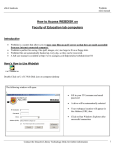
1. Open your web browser (for example, Internet Explorer or Firefox)
2. Go to (http://education.ucalgary.ca/eDOL)
3. Enter your IT username and password
Students and UofC Field Advisors:
• To log in, you must use your UofC IT account (username is the same as the first part
of your UofC email address (ie cbuddy), and use the password from your UCIT
account).
• If you do not already have your UofC IT account, you can self-register online via the
UCIT SelfRegistration system.
https://www.acs.ucalgary.ca/itutil?process=WebRegister
• If you have forgotten your username or password, this can be reset using the UCIT
Password Reset utility. http://www.ucalgary.ca/it/forgot
Partner Teachers: (*important)
• For the FIRST time you login, please click the ‘Request New Password’ link to the
left. Enter your email address. Instructions for login will be returned to you via
email.
• If your contact information has not been provided to the UofC Field Advisor, you will
not be able to login or request a new password yet. Please inform the Field Advisor
with your correct information and allow 2-3 days for your account to be setup.
4. If you are having problems, please contact [email protected]
Log Out of the Site
1. In the navigation bar on the left, click log out.
3