1
Move
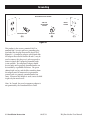
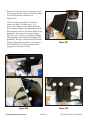
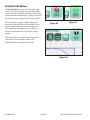
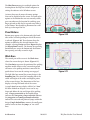
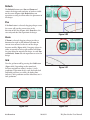
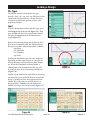
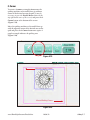
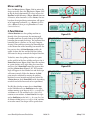
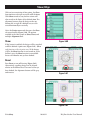
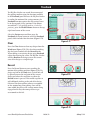
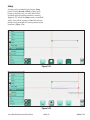
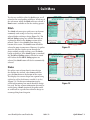
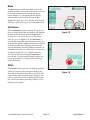
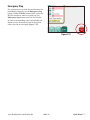
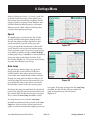
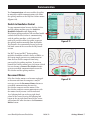
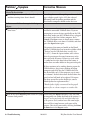
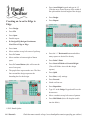
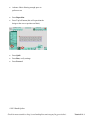
The Move feature enables the quilter to move the
quilting machine in any of the 8 directions indicated
by the direction arrows by pressing that arrow
button (Figure 7.5). The speed that the quilting
machine moves can be set by altering the Jog
Speed with either the + and – buttons or by directly
entering a speed value (up to 50) in the number box.
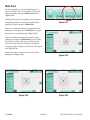
Continuous
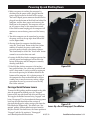
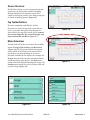
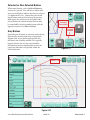
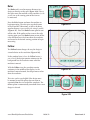
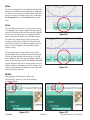
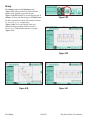
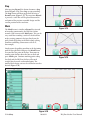
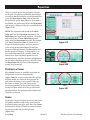
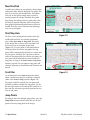
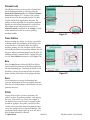
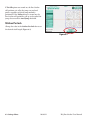
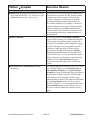
If the Continuous option is selected, the quilter can
press an arrow button and the machine will continue
to move in that direction until the Stop button is
pressed (the arrow button becomes a stop button
when it is pressed) (Figure 7.6). If Continuous is
not selected, the quilter must continue pressing the
arrow button until the quilting machine has traveled
to the desired distance. Releasing the button will
stop the movement. Because Windows considers an
extended button press as a right-click, it is necessary
to hold the button for 3 to 5 seconds before the
Pro-Stitcher will start moving if Continuous is
not selected. A trick to make Windows process the
button press sooner is to slightly slide your finger
across the button.
Figure 7.5
Stitch
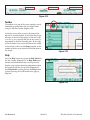
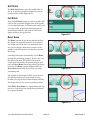
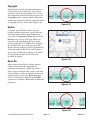
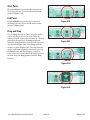
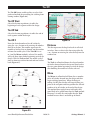
If the Stitch button is pressed, the quilting machine
will begin stitching when it begins moving in the
direction of the arrow button that is pressed. It will
stop stitching when the movement is stopped. This
can be a great way to stitch straight lines for things
like stitch-in-the-ditch, piano keys, borders, crosshatching, and so forth.
www.HandiQuilter.com/ProStitcher
10/04/12
Figure 7.6
Quilt Menu 7.3