1
Adding functions
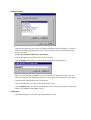
Under the Functions tab will you activate different functions in File Distributor. To active a
function you need the appropiate password. This password can be obtained from Graphic
Prepress Solutions.
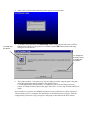
To activate a function follow these instructions:
Click on the function you wants to activate in the list box
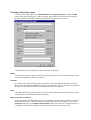
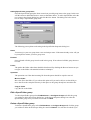
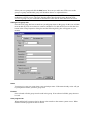
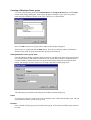
Click on Enable and a dialog box similar to the following will be displayed:
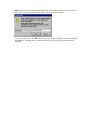
Enter you password and click OK. You must now restart File Distributor to have the new
function available to File Distributor. Setup your new group as described later in this guide.
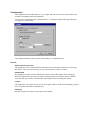
To deactivate a function follow these instructions:
Click on the function you wants to deactivate in the list box
Click on Disable and a you will be prompted that you are sure that you wants to disable the
function. Click Yes to disable No to cancel.
Distributing
The Distributing tab has not been implemented in this version.