1
Section 8
Managing File Transfer Protocol groups
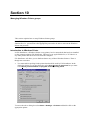
This section explains how to setup, edit and delete File Transfer Protocol (FTP) groups.
Note! To be able to use FTP groups you must enable the File Transfer Protocol Out function
first. I.e. you must have the appropriate password to be able to activate the FTP Out protocol
Introduction to FTP
The File Distributor application will allow you to automatically send files over File Transfer
Protocol, FTP, by logging on to FTP servers and send files. FTP is an Internet client-server
protocol for transferring files between computers. You can set up an unlimited number of
connections and by moving files to different predefined ’hot folders’ send them to the
predefined FTP-servers. The operation is done in the background allowing you to continue with
other tasks on your system as the transfer continues. The application can also update the
PageNet database as files has been transferred and run different scripts as a transfer starts, has
been completed or if an error occurs during the transfer.
Creating an FTP group
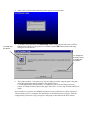
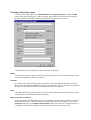
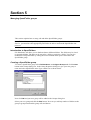
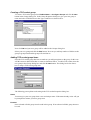
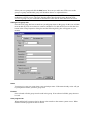
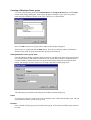
To create an FTP group select FileDistributor -> Configure Groups and click the New button
in the Groups dialog box.
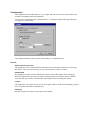
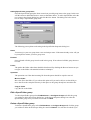
In the Group Properties dialog box give your new group a name and select File Transfer
Protocol in the Type combo box. Now click OK and your new group will be added to the
Groups dialog box.