1
Section 5
Managing SpoolFolder groups
This section explains how to setup, edit and delete SpoolFolder groups.
Note! To be able to use SpoolFolder groups you must enable the SpoolFolder Out function
first. I.e. you must have the appropriate password to be able to activate the SpoolFolder Out
protocol.
Introduction to SpoolFolders
File Distributor will allow you to distribute data to different folders. The folder may be a local
or networked folder. The data can be moved to a folder or copied to a folder. You can also
loadbalance on SpoolFolders by setting the correct method in the queue connected to the
SpoolFolder group.
Creating a SpoolFolder group
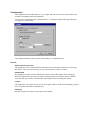
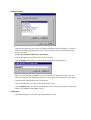
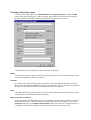
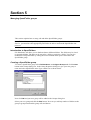
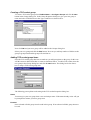
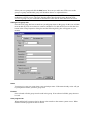
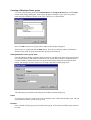
To create a SpoolFolder group select FileDistributor -> Configure Groups and click the New
button in the Groups dialog box. In the Group Properties dialog box give your new group a
name and select SpoolFolder in the Type combo box as shown below.
Now click OK and your new group will be added to the Groups dialog box.
Select your new group and click the Edit button. Now can you add any number of folders to the
group as group items that this group will send data to.