1
1. Introduction
Thank you very much for purchasing TSC bar code scanner.
This decoder is a Long Range (Gun Type) CCD Bar Code Scanner. It
works with variety of bar code types, reading devices and computer
interface. This manual provides an easy way to setting the decoder by
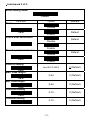
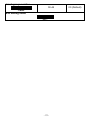
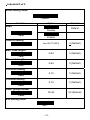
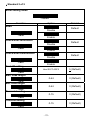
scanning bar codes listed on the menu.
Specifications, accessories, parts and programs are subject to change
without notice.
1.1 Installation
• Unpacking
Unpacking the box, the following items are included in the carton.
* One scanner unit
* One quick start guide
If any parts are missing, please contact the Customer Service
Department of your purchased reseller or distributor.
• Connecting the scanner
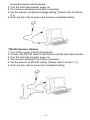
* USB interface
1. Turn off the power of terminal/computer.
2. Connect the USB cable to the scanner and the terminal/computer.
3. Turn the terminal/computer power on.
4. The scanner will beep a tone after connected.
5. Scan any bar code to ensure the scanner was completed setting.
* Keyboard wedge interface (Option)
1. Turn off the power of terminal/computer.
2. Connect the appropriate interface cable to the scanner, the
-3-