1
E-M-HyLabC1-V1
Rotronic AG
Bassersdorf, Switzerland
Document code
Unit
HygroLab C1 bench-top indicator:
User Guide
Document title
Instruction Manual
Document Type
Page
2 of 28
Table of contents
1 Overview ...................................................................................................................................................... 3
2 General description .................................................................................................................................... 4
2.1 Configuration software ............................................................................................................................. 4
2.2 Power supply............................................................................................................................................ 4
2.3 Probe inputs ............................................................................................................................................. 4
2.4 Measured parameters .............................................................................................................................. 4
2.5 Calculated parameters ............................................................................................................................. 4
2.6 Alarm Indication on the display ................................................................................................................ 5
2.7 Real time clock ......................................................................................................................................... 5
2.8 Back panel and digital interface ............................................................................................................... 5
3 Basic operation ........................................................................................................................................... 6
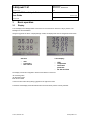
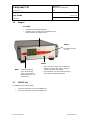
3.1 Display ..................................................................................................................................................... 6
3.2 Keypad ..................................................................................................................................................... 7
3.3 ON/OFF key ............................................................................................................................................. 7
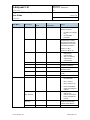
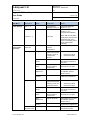
3.4 Internal menu ........................................................................................................................................... 8
3.5 Frequently used settings ........................................................................................................................ 11
3.5.1
Unit system ............................................................................................................................ 11
3.5.2
Date and time ......................................................................................................................... 11
3.5.3
Select the calculated parameter for a probe input .................................................................. 11
3.5.4
Select which probe and/or parameters are shown on the display .......................................... 11
3.6 Connecting the HygroLab C1 to a PC .................................................................................................... 11
3.7 Practical advice for measuring humidity ................................................................................................. 12
4 Aw Measurement ...................................................................................................................................... 12
4.1 Enabling Aw Measurement .................................................................................................................... 12
4.2 Water activity measurement settings:..................................................................................................... 13
4.3 Aw probe usage guidelines .................................................................................................................... 13
4.4 Using the AwQuick mode ....................................................................................................................... 14
4.5 Using the AwE mode .............................................................................................................................. 17
4.6 Viewing the captured data (automatic data capture enabled) ................................................................ 19
5 User configurable settings and functions .............................................................................................. 20
5.1 Factory default settings .......................................................................................................................... 20
5.2 Interaction between the HygroLab C1 and HygroClip 2 probe ............................................................... 21
5.3 User defined parameter.......................................................................................................................... 21
6 Maintenance .............................................................................................................................................. 22
6.1 Periodic calibration check of the HygroClip 2 probe ............................................................................... 22
6.2 Cleaning or replacing the probe dust filter .............................................................................................. 22
6.3 Firmware updates................................................................................................................................... 22
7 Probe Calibration and Adjustment Procedures ..................................................................................... 23
7.1 Overview ................................................................................................................................................ 23
7.2 Calibration against a reference environment .......................................................................................... 23
7.3 Calibration against a reference HygroClip 2 probe................................................................................. 24
7.4 Adjustment of humidity and temperature ................................................................................................ 24
8 Technical data ........................................................................................................................................... 25
8.1 Specifications ......................................................................................................................................... 25
8.2 Dew point accuracy ................................................................................................................................ 26
9 Accessories............................................................................................................................................... 27
10 Supporting documents............................................................................................................................. 27
11 Document releases ................................................................................................................................... 28
© 2011; Rotronic AG
E-M-HyLabC1-V1