1
E-M-HyLabC1-V1
Rotronic AG
Bassersdorf, Switzerland
Document code
Unit
HygroLab C1 bench-top indicator:
User Guide
Document title
Instruction Manual
Document Type
Page
5 of 28
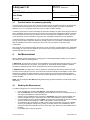
Note: calculating some of the above parameters requires barometric pressure as an input parameter. A fixed
barometric pressure value can be specified using either the keypad or the ROTRONIC HW4 software.
In addition, the HygroLab C1 can display for each probe input a user defined calculation such as the
difference between the temperature and the dew point measured by a probe, the average of the temperature
measured by two probes, etc. Configuration of the HygroLab C1 for a user defined calculation requires the
Rotronic HW4 software version 3.1 or higher (see separate document E-M-HW4v3-F2-019)
2.6
Alarm Indication on the display
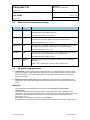
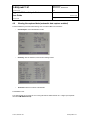
Depending on the type of alarm, the display shows either a symbol or a text when the HygroLab C1 detects an
alarm condition:
o
o
o
2.7
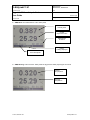
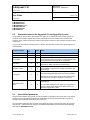
Out-of-limits value (defined with the HW4 software for each probe input, includes measured values
and calculated parameter).
Display of fixed values when no probe is connected the input. Easily identified humidity and
temperature values can be specified with the HW4 software for each probe input.
Bad RH sensor or major sensor failure (open or shorted sensor – humidity and temperature)
Real time clock
The HygroLab C1 clock keeps track of the date and time and can be adjusted from the keypad. Using the
HW4 software, the clock can be synchronized with the PC date and time. The clock does not automatically
adjust for daylight saving time (DST).
2.8
Back panel and digital interface
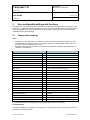
As an option, the HygroLab C1 is available with any of the following digital interfaces:
o
o
o
USB only (can be used to power the HygroLab C1)
Ethernet only (RJ45)
USB and Ethernet (only one interface can be used at any time)
Use of the Ethernet interface always requires the HygroLab to be powered with the AC1211 power adapter.
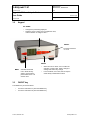
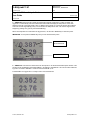
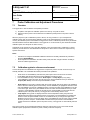
HygroLab C1 back panel showing the four probe inputs as well as the USB and Ethernet ports:
© 2011; Rotronic AG
E-M-HyLabC1-V1