1
USER GUIDE
FLTA
2 (9)
Menu
The menu can be activated by pushing the M button for approximately 5 seconds. You can proceed in the menu by
pushing the M button. The values can be changed with the ”+” and ”-” buttons.
The settings are saved when you leave the menu.
Testing the network coverage
1.
Move the FLSER commissioning tool switch to the RSSI position.
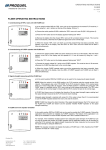
“On CARE” text appears on FLTA display and RX indicator light flashes rapidly.
2.
Take the FLSER commissioning tool to the planned installation places and check the signal strength from
the commissioning tool display.
NOTE: Do not hold the FLSER tool in your hand when testing, because that disturbs the signal strength
measurement.
FLSER displays base station (small number) and transmitter (big number) signal strengths (1...2 = poor,
3...5 = acceptable and 6...9 = good).
8
RSSI 8
3.
After testing, move the FLSER switch to OFF position.
The base station is now ready for use. "On CARE” text disappears from the FLTA display.
NOTE: If the network range is not adequate, a repeater is needed.