1
List of Menu Items
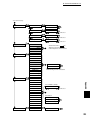
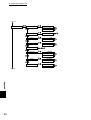
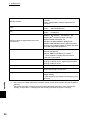
The section describes the various modifiable items of each main menu.
It is possible to set some items of the menu screens from your computer when you print. If the computer settings
differ from those on the printer, the computer settings take precedence.
Default refers to the factory settings of the printer.
5.3.1
System
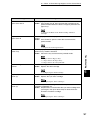
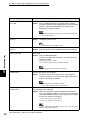
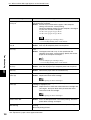
Used to configure the power saver modes, job log settings, and basic printer
operation.
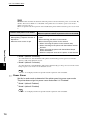
Power Save Timer
Control Panel
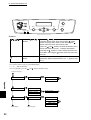
The power saver mode is a function that reduces the electricity consumption of the
printer when it is idle. The power saver mode has two modes. Power saver mode 1
partially reduces the power consumption of certain parts of the printer. Power
saver mode 2 reduces consumption even more by turning off specific parts of the
printer completely.
When the printer is in power saver mode 1, "Ready/Standby" appears on the
display. When in this state, the printer takes slightly more time than usual to start
printing when it receives data.
When the printer is in power saver mode 2, the Power saver button is lit. When
the printer receives data while in this state, it takes more time than in power
saver mode 1 for the printer to begin printing.
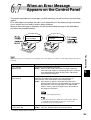
The following offers an example of the possible delays before the printer goes
into each power saver mode.
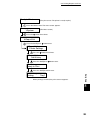
Example: "Power Save Timer Mode 1" is set to 30 minutes. "Power Save Timer
Mode 2" is set to 60 minutes.
5
Power consumption
Switch to power saver mode 1
Switch to power saver mode 2
Elapsed time (in minutes)
If the "Power Saver Mode" is set to "Disabled", the printer does not go into that power saver mode.
117