1
7 UTILITY PACKAGE (GX Configurator-CT)
MELSEC-Q
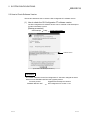
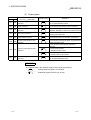
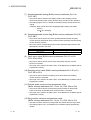
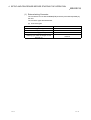
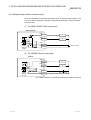
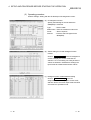
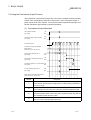
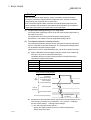
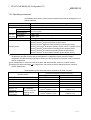
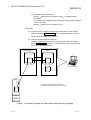
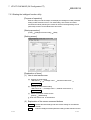
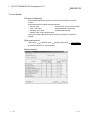
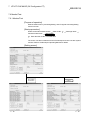
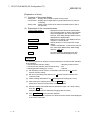
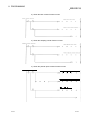
3) Operating using GX Developer.
[Online] [Read from PLC] / [Write to PLC] "Intelligent module
parameter"
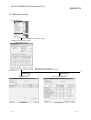
Or, operate on the intelligent module parameter setting module selection
screen of the utility.
[Online] [Read from PLC] / [Write to PLC]
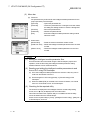
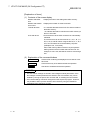
<Text file>
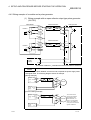
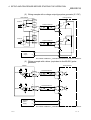
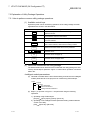
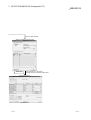
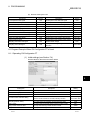
(a) A text file can be created by performing the initial setting or auto refresh
setting, or selecting Make text file on the monitor/test screen. Text files
can be utilized to create user documents.
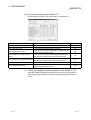
(b) Text files can be saved to any directory.
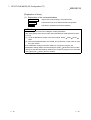
However, a path (folder where the file is to be saved) cannot be created
during Make text file operation, so create a folder in advance for saving
®
the file using Windows Explorer.
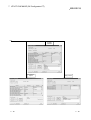
GX Developer/
GX Configurator-CT
Disk
Project
Project
1)
A
2)
A
Personal computer
B
QCPU
3)
Q25HCPU
MODE.
RUN.
ERR.
USER.
BAT.
BOOT.
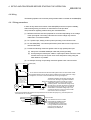
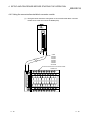
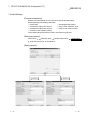
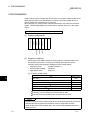
A: Indicates intelligent module parameters.
B: Indicates the data saved by text file creation.
A
USB
RS-232
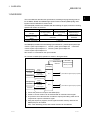
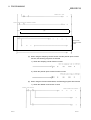
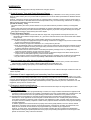
Figure 7.1 correlation diagram for data created using the utility package
7-6
7-6