1
press
+
to select the frequency. Press to
store and exit adjustment mode. ( Press
once
again can return to KHz mode)
※Each selection is to add or decrease 1MHz of
frequency.
※Each selection for KHz is to add or decrease 10KHz
(factory default). To change Factory Default, please
refer to 12.
3. Scan Frequency
Press
once, while frequency icon blinks, hold
or
about 2 sec to start scanning of channel.
Jumping of channel numbers increasingly or
decreasingly indicates scan in progress. Scan
stops when it detects a memory channel. Press
or
or
to store and exit the scan mode.
3. Memorize and delete memory channel/SOS channel
(1)
Momentarily press
once. While frequency icon
blinks, hold on
or
about 2 sec to start
scanning of frequency. Jumping of Frequency
numbers increasingly or decreasingly indicates
scan in progress . Scan stops when it detects a
frequency. Temporarily press or
or
will
disable auto scan and select the final frequency.
※Note: To Scan, turn off CTCSS codes.
6. Memory channel mode operation
1. Memory Channel Selection: (store the channels
beforehand)
Press
, while frequency icon blinks, hold
or
to select channels. Press to store and exit
the selection mode.
2. Scan memory channels:
6
(2)
Operate under VFO frequency mode, and select
your expected frequency. Hold
,and press
once to enter managing mode. (Please hold
button until the setting is completed). Press
or
key to select your desired memory or deletion
Ch No. (There are total 37 CHs including SOS
Channel). If there is blank beside the CH (as
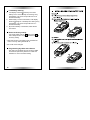
Illustration 1) that means CH is memorized with
value. If it shows the Icon "- -", (as Illustration 2),
that means the Channel is vacant. Press
once
again can store the CH and hold
longer can
delete the CH. (you can only memorize SOS
channel) (Please release
button after the
setting is completed and it will go back to VFO
frequency mode automatically.
※The above functions can be programed easily trough
our cable and software for PC.
4. Examine Frequency for memory channels.
Operate under MEM channel mode. Hold
, and
press monitor button once, LCD icon will display
7