1
3.4
Record Status Change
3.4.1 Default Change Time
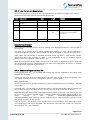
When a data file is uploaded and imported into the SecureBill database, the status of the records
are set as “New” which means they are not available via the payment page or the IVR yet. By
default, at midnight each night, the statuses of the records are updated to “Live”. Files uploaded on
any day will not become “Live” data until midnight that night.
3.4.2 Overriding Change Time
If a special request is made, SecurePay can configure a given bill type for a given merchant to
switch status at a time other than midnight. E.g. If a merchant will upload a file each morning at
7:00am, SecurePay can configure that bill type to update the old data with the new at 8:00am that
day. If a file will be uploaded in the afternoon, we can switch the new records to live at a given time
in the afternoon.
Remember, when requesting a custom switchover time for your data, you must ensure the file is in
our system by this time each day, and allow enough time for the creation and upload of the file, as
well as the offline validation and import of your file by SecurePay.
Page 15 of 15
© SecurePay Pty Ltd
SecureBill User Guide Version 1.1