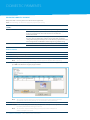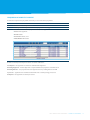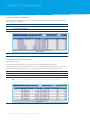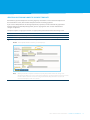
1
TRANS-TASMAN
ANZ TRANSACTIVE
User GUIDE
AUSTRALIA AND NEW ZEALAND
01.2012
Simplifying and connecting your transaction banking
across Australia and New Zealand
contents
Notes. . . . . . . . . . . . . . . . . . . . . . . . . . . . . . . . . . . . . . . . . . 4
Introduction to the ANZ Transactive
User TRAINING Guide. . . . . . . . . . . . . . . . . . . . . . 6
Single Payments. . . . . . . . . . . . . . . . . . . . . . . . . 33
Single Payment Types and Same Day
Value Cut-Off Times. . . . . . . . . . . . . . . . . . . . . . . . . . . . 34
Create a Transfer. . . . . . . . . . . . . . . . . . . . . . . . . . . . . . . . 36
Domestic Payments . . . . . . . . . . . . . . . . . . . . . . 8
Create an RTGS Payment. . . . . . . . . . . . . . . . . . . . . . . 37
Australian Domestic Payments. . . . . . . . . . . . . . . . . 8
Create an International Payment. . . . . . . . . . . . . . . 39
Create an Australian Domestic Payment. . . . . . . . 9
Get a Dynamic Exchange Rate . . . . . . . . . . . . . . . . . 41
New Zealand Domestic Payments . . . . . . . . . . . . 11
Pay Bill (BPAY) Payments . . . . . . . . . . . . . . . . . . . . . . . 42
Create a New Zealand Domestic Payment. . . . . 12
Create a Single Payment Template. . . . . . . . . . . . . 44
Future Date a Domestic Payment. . . . . . . . . . . . . . 14
Create a Payment using a Template. . . . . . . . . . . . 45
Future date a payment when not approved
or released on payment date. . . . . . . . . . . . . . . . . . . 14
Reporting. . . . . . . . . . . . . . . . . . . . . . . . . . . . . . . . . . 46
Approve a Domestic Payment. . . . . . . . . . . . . . . . . 15
Release a Domestic Payment. . . . . . . . . . . . . . . . . . . 16
Enquire on a Domestic Payment. . . . . . . . . . . . . . . 17
Modify a Domestic Payment. . . . . . . . . . . . . . . . . . . 18
Unapprove a Domestic Payment. . . . . . . . . . . . . . . 18
Reports Description. . . . . . . . . . . . . . . . . . . . . . . . . . . . 47
Pay Bill Reporting. . . . . . . . . . . . . . . . . . . . . . . . . . . . . . . 50
Report Options. . . . . . . . . . . . . . . . . . . . . . . . . . . . . . . . . 51
Downloading and Exporting Files. . . . . . . . . . . . . . 54
Account Reporting . . . . . . . . . . . . . . . . . . . . . . . . . . . . . 56
Payment Reporting. . . . . . . . . . . . . . . . . . . . . . . . . . . . . 58
Create an Australian Domestic
Payment Template . . . . . . . . . . . . . . . . . . . . . . . . . . . . . 19
Report with Voucher Images . . . . . . . . . . . . . . . . . . 60
Create a New Zealand Domestic
Payment Template . . . . . . . . . . . . . . . . . . . . . . . . . . . . . 21
Host-to - Host. . . . . . . . . . . . . . . . . . . . . . . . . . . . 62
Import an Australian Domestic
Payment File. . . . . . . . . . . . . . . . . . . . . . . . . . . . . . . . . . . . 23
NAVIGATION AND TOOLBARS. . . . . . . . . . . 63
Australian Domestic Import Method 1
– Import an ABA File. . . . . . . . . . . . . . . . . . . . . . . . . . . . 24
Create a Toolbar Shortcut Button. . . . . . . . . . . . . . 63
Navigate in ANZ Transactive . . . . . . . . . . . . . . . . . . . 65
Australian Domestic Import Method 2
– Detail Import. . . . . . . . . . . . . . . . . . . . . . . . . . . . . . . . . 25
Import a New Zealand Domestic
Payment File . . . . . . . . . . . . . . . . . . . . . . . . . . . . . . . . . . . 28
New Zealand Domestic Import Method 1
– Import a CSV File . . . . . . . . . . . . . . . . . . . . . . . . . . . . . 29
New Zealand Domestic Import Method 2
– Detail Import. . . . . . . . . . . . . . . . . . . . . . . . . . . . . . . . . 30
Using Restricted Templates . . . . . . . . . . . . . . . . . . . . 32
ANZ TRANSACTIVE USER GUIDE CONTENTS 3
Notes
NOTES
>>Australia and New Zealand Banking Group Limited (ANZ Australia) is an authorised deposit taking
institution in Australia. ANZ, part of ANZ National Bank Limited (ANZ New Zealand) is a registered
bank in New Zealand under the Reserve Bank Act 1989 (New Zealand). ANZ New Zealand is a
subsidiary and separate entity from ANZ Australia and is not an authorised deposit-taking institution
under the Banking Act 1959 (Australia)
Any Cash Product provided by ANZ New Zealand is neither a deposit with nor liability of ANZ Australia
and ANZ Australia is not required to meet the obligations of ANZ New Zealand
ANZ Australia does not guarantee the performance of any Cash Product by ANZ New Zealand
>>References to “Australia(n)” or “AU” with respect to any payments, products and/or accounts means
payment made by, accounts held with and products provided by Australia and New Zealand Banking
Group Limited / ANZ Australia from or within Australia
>>References to “New Zealand” or “NZ” with respect to any payments, products and/or accounts means
payment made by, accounts held with and products provided by ANZ National Bank Limited /
ANZ New Zealand from or within New Zealand.
4 NOTES ANZ TRANSACTIVE USER GUIDE
ANZ TRANSACTIVE USER GUIDE NOTES 5
Introduction to the ANZ Transactive
User TRAINING Guide
This User Training Guide is designed to:
>>assist you with completing common and critical tasks in ANZ Transactive
>>guide you after the implementation training
>>be used as a starting point for training new staff, and
>>be used in conjunction with ANZ Transactive Online Help.
User Training Guide versions
This User Training Guide will be updated with new functionality and information when necessary.
Please ensure you regularly check the available version to ensure you have the most up to date copy.
Welcome Letter
Included in your welcome letter is also a Getting Started Guide to assist you with setting up
ANZ Transactive. You may wish to refer to this guide for assistance on:
>>Minimum operating requirements
>>Activating your Security Device
>>Logging on
>>Help features
>>Printing and troubleshooting.
6 INTRODUCTION TO THE ANZ TRANSACTIVE USER TRAINING GUIDE ANZ TRANSACTIVE USER GUIDE
ANZ Transactive Resources
ANZ Transactive continues to grow and develop with your business needs. Resources are available
online to ensure that we are constantly providing you with the latest information.
Once you log on to ANZ Transactive, the welcome screen will be displayed. From this location, you can
click on Resource Central, or go directly to the site at www.anz.com/ANZTransactiveResourceCentral.
This site is designed to provide you with all ANZ Transactive resources in one place, at your finger tips!
For easy access make sure you save this page in your internet browser favourites.
Further assistance
This guide contains information and procedures about general and common tasks. If you require further
assistance with completing tasks, refer to ANZ Transactive Online Help.
If you are still unable to complete a task, please contact ANZ on 133 199 (Australia) or 0800 800 760
(New Zealand) between 8am and 5pm local time. Alternatively, if you are calling internationally, you can
call +613 9601 1200 during Melbourne business hours.
Updating information and equipment
Please contact your ANZ Representative to:
>>Add, modify or delete:
-- Accounts
-- Products
-- Security Device Users.
>>Order new or replacement:
-- Security devices
-- Smartcard readers
-- Hardware Security Module (HSM).
Fees
Fees apply for using ANZ Transactive. Please refer to the fee schedule for further information.
ANZ TRANSACTIVE USER GUIDE INTRODUCTION TO THE ANZ TRANSACTIVE USER TRAINING GUIDE 7
Domestic Payments
This section covers the following Domestic Payments topics:
>>AU Domestic Payments
>>Create an AU Domestic Payment
>>NZ Domestic Payments
>>Create a NZ Domestic Payment
>>Future Date a Domestic Payment
>>Approve a Domestic Payment
>>Release a Domestic Payment
>>Enquire on a Domestic Payment
>>Modify a Domestic Payment
>>Unapprove a Domestic Payment
>>Create an AU Domestic Payment Template
>>Create a NZ Domestic Payment Template
>>Import an AU Payment File
>>Australian Import Method One - Importing an ABA file Ready for Approval
>>Australian Import Method Two - Detail Import
>>NZ Payment File Import - Detail Import
>>Using Restricted Templates.
Need further help?
For additional assistance with Domestic Payments, please refer to Online Help in ANZ Transactive.
Australian Domestic Payments
In ANZ Transactive, to make a Direct Entry Payment you will use Australian (AU) Domestic Payments.
AU Domestic Payments can be made into any domestic AUD accounts held at any Australian
financial institution.
AU Domestic payments include:
>>Creditor payments
>>Inter-company payments
>>Payroll
>>Direct Debits.
To complete a payment in ANZ Transactive, the payment must be created, approved and released.
An AU Domestic payment can be created from:
>>scratch, also known as freeform
>>a template
>>an existing payment, or
>>a file import.
Note: Payment files can be imported into freeform payments or payment templates. To import
a payment file, refer to the Importing an Australian Payment File section of this guide.
8 DOMESTIC PAYMENTS ANZ TRANSACTIVE USER GUIDE
Create aN AUSTRALIAN DOMESTIC Payment
Step
1
Action
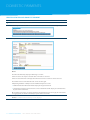
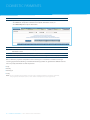
Click the Domestic Payments tab.
2
Select Payments > Enter > AU Domestic and choose the method for creating the payment.
3
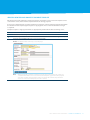
Complete the Add AU Domestic Batch Payment screen and click Save.
Note: Your DE User ID/Funds will determine what approval type you can select:
>>Credit
>>Debit or
>>Both.
Funds Account Time Zone will default once the Direct Entry ID is entered.
4
Click Save.
Result: The Batch Header summary screen displays.
ANZ TRANSACTIVE USER GUIDE DOMESTIC PAYMENTS 9
DOMESTIC PAYMENTS
Step
5
Action
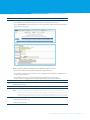
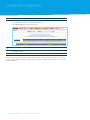
Complete the payee details:
>>Select Add to enter individual payees manually on the AU Domestic Transaction screen, or;
>>Select Detail Import to import payees via a ABA or CSV file (for further details, please refer
to the Detailed Import section).
6
Click Save, then OK.
7
8
You can continue to enter additional payee details onto the same batch from the
AU Domestic Transaction screen.
Select Back to return to the Batch Header summary screen in step 4.
9
Select Submit.
Note:
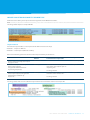
When a payment batch is submitted, if the fields in the batch header and the first
detail item are identical to another payment batch created with a payment date plus
or minus 6 days from the payment date, the system will flag the payment batch as
a possible duplicate. You have the option to enter a reason for continuing to process
the batch.
Next steps:
>>Approve the payment, and
>>Release the payment.
10 DOMESTIC PAYMENTS ANZ TRANSACTIVE USER GUIDE
New Zealand Domestic Payments
In ANZ Transactive, NZ Domestic Payments can be made into any domestic NZ accounts held at any
New Zealand financial institution.
NZ Domestic Payments include:
>>Creditor payments
>>Inter-company payments
>>Payroll
>>Direct Debits.
To complete a payment in ANZ Transactive the payment must be created, approved and released.
ANZ Domestic Payment can be created from:
>>scratch, also know as freeform
>>a template, or
>>an existing payment
>>a detailed file import.
Note: Payment files can be imported into freeform payments or payment templates.
To import a payment file, refer to the NZ Payment File Import - Detail Import.
ANZ TRANSACTIVE USER GUIDE DOMESTIC PAYMENTS 11
DOMESTIC PAYMENTS
Create a New Zealand Domestic Payment
Step
1
Action
Click the Domestic Payments tab.
2
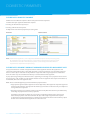
Select Payments > Enter > NZ Domestic and choose the method for creating the payment.
3
Complete the Add Batch Payment screen.
Notes:
The DD Code field only displays if Batch Type = Debit.
Funds Account can only be selected after a DD Code is selected.
Funds Account Time Zone will populate when the Funds account has been selected.
The Dishonours Account defaults and cannot be changed.
If Reporting Method = Multiple on the Add Batch Payment screen:
>>additional default information fields display for originator details
>>a maximum of 4,999 transaction items can be added which will display as individual lines
on your online statement.
4
Once 5,000 transactions are added, the Reporting Method reverts to Single; all transactions
are aggregated, not listed individually on your online statement
Click Save.
Result: The Batch Header summary screen displays.
12 DOMESTIC PAYMENTS ANZ TRANSACTIVE USER GUIDE
Step
5
Action
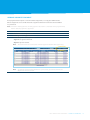
Complete payee details:
>>Select Add to enter individual payees manually on the Transaction screen, or
>>Select Detail Import to import payees via a CSV. (For further detail on the Detailed Import
option refer to page 24.)
Note: If Reporting Method = Multiple on the Add Batch Payment screen:
>>additional default information fields display for originator details
>>a maximum of 4,999 transaction items can be added which will display as individual lines
on your online statement
6
>>once 5,000 transactions are added, the Reporting Method reverts to Single;
all transactions are aggregated, not listed individually on your online statement.
Click Save, then OK.
8
You can continue to enter additional payee details onto the same batch from
the Transaction screen.
Click Back to go to the Batch Header screen in step 4.
9
Click Submit.
7
Note:
When a payment batch is submitted, if the fields in the batch header and the first
detail item are identical to another payment batch created with a date plus or minus
6 days from the payment date , the system will flag the payment batch as a possible
duplicate. You have the option to enter a reason for continuing to process the batch.
Next steps:
>>Approve the payment, and
>>Release the payment.
ANZ TRANSACTIVE USER GUIDE DOMESTIC PAYMENTS 13
DOMESTIC PAYMENTS
Future Date a DOMESTIC Payment
ANZ Transactive offers the option to future date your Domestic Payments.
To future date your payments follow the steps for:
>>Creating an AU Domestic Payment, or
>>Creating a NZ Domestic Payment.
At step 3 select the desired payment processing date.
Australia
New Zealand
Note: Future dated payments can be Approved and Released prior to the processing date,
for example on the day the payment is created. The payment will not be processed
until the date selected. Future dated payments can be Unapproved after Release
if you want to stop them from processing.
Future date a payment when not approved or released on payment date
If a payment has been created and approved with a future payment date but the payment is not
released on that payment date, a User with approval or release permissions can amend the payment
date to current day or next business day without re-approval of the original approvers and/or other
Users. The User may not amend the beneficiary or amount details of the payment.
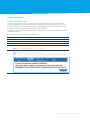
A pop-up message will appear when the User is approving or releasing such a payment. Please ensure
this message is read carefully as it will explain whether or not the payment date may be amended and,
if allowable, advise the new payment date.
Note: Please acknowledge for payments with future payment dates:
>>Any payment approval (Votes Approval or Panel Approval) is final approval only of the payment
amount and beneficiary. Any approval of a future payment date is indicative only and subject to
change without re-approval
>>The User’s next day’s Account Discretion or the User’s Daily Role Discretion may be affected by
amending the payment date of such payments.
To minimise the risk of any duplicate, inaccurate or revoked payments being released, any
future dated payments not released within 30 days of the original payment date requires
re-approval of a new payment date. It is important to monitor the Transaction Summary report
for the release of future dated payments to reduce this risk.
14 DOMESTIC PAYMENTS ANZ TRANSACTIVE USER GUIDE
Approve a DOMESTIC Payment
Each payment batch requires a certain number of approvals, as set by your Administrator.
When all approvals are received the batch is approved and then needs to be released before
it is processed.
Note: For future-dated payments, the daily approval discretion is calculated on the payment date;
not the date the payment is approved.
Step
1
Action
Click the Domestic Payments tab.
2
Select Payments > Approve.
3
Select the required batch(es) and click:
>>Approve to approve the batch.
>>Reject to reject the batch.
Note: You should click on each batch to view the payment details before approving.
Note:
A payment must be Released before it is processed, go to Release a Domestic
Payment in the next section.
ANZ TRANSACTIVE USER GUIDE DOMESTIC PAYMENTS 15
DOMESTIC PAYMENTS
Release a Domestic Payment
Only Users with a security device are able to release payments.
Note: The following cut-off times* apply for payment processing:
If payment processing
is for...
Then...
Australia
Before 5.00pm Melbourne Time, standard processing fees apply
New Zealand
Between 5.00pm – 7.00pm Melbourne Time, the payment may
occur a Late Lodgement Fee. Refer to the Fee Schedule for
further informtion
After 7.00pm Melbourne Time, the payment will not be processed.
An error message will display and the release date will need to be
changed for the payment to process. To do this the payment will need
to be Unapproved and Modified, before Approving and Releasing
ANZ accounts cut off time is 7.30pm New Zealand Time
NBNZ accounts cut off time is 6.30pm New Zealand Time
Release method
Step
1
Action
Click the Domestic Payments tab.
2
Select Payments > Release.
3
Select the required batch(es) and click Release to release the payment.
4
Note: You should click on each batch to view the payment details before releasing.
Click Sign & Submit, insert your security device (Smartcard or Smart USB Key) and enter
your PIN in the GemSafe eSigner popup window.
5
Note: The system requests the User to enter their PIN so that their digital signature
(contained in the security device) can be attached to the payment(s).
Click OK.
Note:
If the Gemsafe eSigner does not appear, please refer to your Getting Started Guide
to ensure your internet settings are correct.
Note:
To check the status of a Released payment, please refer to Enquire on
a Domestic Payment section.
16 DOMESTIC PAYMENTS ANZ TRANSACTIVE USER GUIDE
Enquire on a Domestic Payment
A Domestic Payment enquiry allows view-only access to the batch payments.
Step
1
Action
Click the Domestic Payments tab.
2
Select Payments > Enquire to access the payment summary grid.
3
Click on a batch to view the payment details, including:
>>Status of the payment
>>Header details
>>Transaction details, and
>>Totals/Audit information.
Below are the Important Payment Status’ and their definitions:
Incomplete – the payment has not been submitted for Approval
Awaiting Approval – further Approval is required before the payment can be Released
Awaiting Release – the payment has been Approved and is pending Release to ANZ
In process – payment has been Released to ANZ and is currently being processed
Complete – the payment has been processed.
ANZ TRANSACTIVE USER GUIDE DOMESTIC PAYMENTS 17
DOMESTIC PAYMENTS
Modify a Domestic Payment
You can modify a payment that has not been approved. Approved payments need to be unapproved
before they can be modified.
Step
1
Action
Click the Domestic Payments tab.
2
Select Payments > Modify.
3
Click on a batch to view the payment details.
4
Modify the payment details and click Submit.
Unapprove a Domestic Payment
The Unapprove action:
>>removes all existing approvals, so that the payment can be modified or stopped, and
>>stops future-dated payments after they have been released for processing, but before the processing
date and time. They will then need to be re-approved and re-released in order to be processed.
Step
1
Action
Click the Domestic Payments tab.
2
Select Payments > Unapprove.
3
Select the required batch(es) from the summary grid and click Unapprove.
Note: It is recommended that you click on each batch to view the payment details
before Unapproving.
18 DOMESTIC PAYMENTS ANZ TRANSACTIVE USER GUIDE
Create an australian domestic Payment Template
AU Domestic payment templates containing regularly used details can be created. A template can
be created from scratch, from another template or from an existing payment.
If you create a template from an existing template or payment, it will be automatically populated
with the details from the template/payment you are copying from. You can then make further
changes as required.
Templates require a single approval from an appropriately entitled User before becoming active.
Step
1
Action
Click the Domestic Payments tab.
2
Select Templates > Enter AU Domestic and choose the method for creating the template.
3
Complete the Add AU Domestic Batch Template screen and click Save.
Result: The Template Header summary screen displays.
Note: When you mark a template as Restricted, only Users who have been assigned a
relevant Data Role can access and use the template, eg. for Executive payroll accounts.
If a User does not have a Data role assigned to them, they will have access to all
restricted templates and all accounts.
ANZ TRANSACTIVE USER GUIDE DOMESTIC PAYMENTS 19
DOMESTIC PAYMENTS
Step
4
Action
If you want to add payments to the template, click:
>>Click Add and complete the AU Domestic Template Transaction screen, or
>>Click Detail Import to import detail items.
5
Click Save, then OK.
6
7
You can continue to enter additional payee details onto the same batch from the
Transaction screen.
When the template is complete, click Back, then Submit.
8
Your template will then need to be Approved before being used to create a payment.
Once a domestic payments template has been created, you can establish a schedule to manage
recurring payments. Establishing a schedule will ensure payments are generated at defined intervals.
You can specify one of four recurrence patterns:
>>Daily
>>Weekly
>>Monthly, or
>>Yearly.
Note: If you schedule the payment recurrence for a template that has not been approved,
the payments will not become active until the template has been approved.
20 DOMESTIC PAYMENTS ANZ TRANSACTIVE USER GUIDE
Create a New Zealand Domestic Payment Template
NZ Domestic Payment templates containing regularly used details can be created. A template can be
created from scratch, from another template or from an existing payment.
If you create a template from an existing template or payment, it will be automatically populated with
the details from the template/payment you are copying from. You can then make further changes
as required.
Templates require a single approval from an appropriately entitled User before becoming active.
Step
1
Action
Click the Domestic Payments tab.
2
Select Templates > Enter > NZ Domestic and choose the method for creating the template.
3
Complete the Add Batch Payment screen and click Save.
Result: The Batch Header summary screen displays.
Note:
When you mark a template as Restricted, only Users who have been assigned
a relevant Data Role can access and use the template, eg. for Executive payroll
accounts. If a User does not have a Data role assigned to them, they will have
access to all restricted templates and all accounts.
ANZ TRANSACTIVE USER GUIDE DOMESTIC PAYMENTS 21
DOMESTIC PAYMENTS
Step
4
Action
If you want to add payments to the template:
>>Click Add and complete the Transaction screen, or
>>Click Detail Import to import detail items.
5
Click Save, then OK.
6
You can continue to enter additional payee details onto the same batch from the
Transaction screen.
When the template is complete, click Back, then Submit.
7
Your template may require approval before being used to create a payment. (if unsure contact your
ANZ Transactive Administrator). Once the template is approved follow the instructions to Create a NZ
Domestic Payment.
22 DOMESTIC PAYMENTS ANZ TRANSACTIVE USER GUIDE
Import an australian domestic Payment File
ANZ Transactive allows you to import Australian payments from ABA formatted files.
Note: For full specifications of ABA formatted files, please refer to the ANZ Transactive File Formats document for further information.
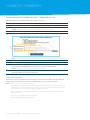
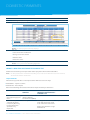
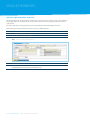
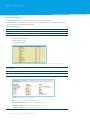
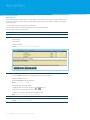
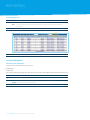
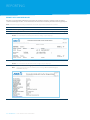
The image below depicts a sample ABA file.
Import methods
AU Domestic Payment files can be imported into ANZ Transactive two ways:
>>Method 1 – Import an ABA File
>>Method 2 – Detail Import (ABA and CSV files).
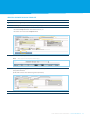
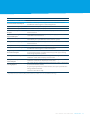
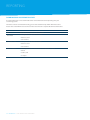
Refer to the following table to determine which import method you should use.
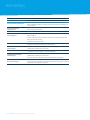
I want to…
Applicable file
formats
ABA or CSV
Additional requirements for batch
header details in import file
None
Import method
Create batch(es) automatically
when I import my file;
using header information from
my existing template(s).
ABA only
“DE User ID” and “Description of Entries”
must match the template you are
importing into.
Import
Create batch(es) automatically
when I import my file; using header
information specified in my
import file.
ABA only
Create a batch manually, then import
my payees into it.
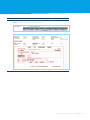
See image below.
“BSB” and “Account” must be specified
and must match “DE User ID”.
Detail Import
Import
See image below.
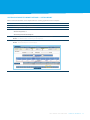
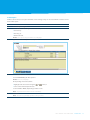
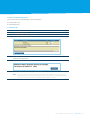
The image below indicates the additional requirements for batch header details in the import file.
ANZ TRANSACTIVE USER GUIDE DOMESTIC PAYMENTS 23
DOMESTIC PAYMENTS
australian domestic import Method 1 – Import an ABA File
ABA payment files can be imported directly into ANZ Transactive.
Step
1
Action
Click the Domestic Payments tab.
2
Select Import > Import ABA File > Import.
3
Result: The ABA File Import into AU Domestic Payment(s) screen displays.
Browse to select the file.
4
Click Import.
5
Note: The Statement Reference and Statement Narrative will appear on your online statement.
Click Submit.
6
Click OK.
7
The Detail Import Status Report will display. To view status of the file import select refresh –
please refer to the Validating Successful File Import section for further details.
Note: You do not need to wait for this report to populate.
Next steps:
The payment files are ready to be approved.
Import using a template
If you have an existing template where the template name matches the ABA Description of Entries
on File field, you do not need to enter the Statement Reference or Statement Narrative.
Note: If the file has not imported successfully:
> Select Payments > Modify to locate the payment. This may occur due to errors within the file
imported. For example, payee details or the payment date are invalid. Review the payment
to make sure each payee has been imported with a Valid status.
> Refer to the ANZ Transactive File Formats document to ensure your file is compatible with
ANZ Transactive
> Contact your accounting software vendor, or
> Contact the ANZ Transactive Helpdesk.
24 DOMESTIC PAYMENTS ANZ TRANSACTIVE USER GUIDE
australian domestic import Method 2 – Detail Import
ABA or CSV formatted files can be imported into an existing payment batch or template.
Step
1
Action
Click the Domestic Payments tab.
2
Select Payments > Enter > AU Domestic.
3
Select:
>>Create a Payment, or
4
>>Create Payment from Template.
Complete the Add AU Domestic Batch Payment screen and click Save.
5
Result: The Batch Header Summary screen displays.
Click Detail Import.
Result: The Detail Import screen displays.
ANZ TRANSACTIVE USER GUIDE DOMESTIC PAYMENTS 25
DOMESTIC PAYMENTS
Step
6
Action
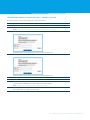
Complete the Detail Import screen ensuring you select the correct file type.
Browse to select the file.
7
Click Import.
8
Result: The message File uploaded successfully… displays.
Make a note of the Job ID for future reference.
9
Click OK.
Result: The Payment Detail Import Status Report screen displays listing the imported payment/s.
Next step is to validate the Payment Detail Import Status Report.
26 DOMESTIC PAYMENTS ANZ TRANSACTIVE USER GUIDE
Validating Successful File Import
Once the ABA or CSV file has been imported, the Payment Detail Import Status Report generates after
a file name has been successfully imported.
Step
1
Action
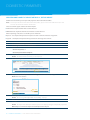
Click Refresh at the top of the Payment Detail Import Status Report screen.
2
Note: During the upload process, ANZ Transactive validates all ANZ accounts and all other
Australian Financial Institution BSBs.
Check the results of the report import.
If the batch import status is…
Success
Then the error batch payment file…
has successfully imported. Go to Step 4.
Failed
has failed import. Go to Step 3.
Note: If the status is Failed, you will need to check the original payment file and make any
modifications before attempting to import again.
3
Note: Refers to the status and message for individual payments.
Check the original payment file and make any modifications.
>>Refer to the ANZ Transactive File Formats document
>>Contact your accounting software vendor, or
>>Contact the ANZ Transactive Helpdesk.
4
Go to Australian Import Method Two – Detail Import to re-import the file.
Check the report for any Error Messages against line items. Note the Batch ID.
ANZ TRANSACTIVE USER GUIDE DOMESTIC PAYMENTS 27
DOMESTIC PAYMENTS
Step
5
Action
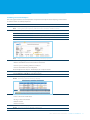
Select Payments > Modify to view all payments.
6
Select the batch payment.
7
Result: The batch payment summary displays.
You can:
>>Select a line item and fix errors
>>Change a line item amount
>>Hold line items
8
>>Delete line items.
Select Submit once all payment details are correct.
Result: The Payment will be Awaiting Approval.
Import a New Zealand Domestic Payment File
ANZ Transactive allows you to import New Zealand payments from CSV formatted files.
Note: For full specifications of CSV formatted files, please refer to the ANZ Transactive File Formats
document for further information.
Import methods
NZ Domestic payment files can be imported into ANZ Transactive two ways:
>>Method One – Import a CSV File
>>Method Two – Detail Import
Refer to the following table to determine which import method you should use.
I want to…
Applicable file
formats
Additional requirements Import method
for batch header details
in import file
None
Detail Import
Create a batch manually,
then import my payees
into it.
Create batch(es)
automatically when
I import my file; using
header information
specified in my
import file.
With Control Record
(ANZ) or Without
Control Record (NBNZ)
CSV only
Batch payment must consist
of all debit transaction items
or all credit transaction items
Must be funded from a single
ANZ National
28 DOMESTIC PAYMENTS ANZ TRANSACTIVE USER GUIDE
Import
NEW ZEALAND DOMESTIC IMPORT METHOD 1 – IMPORT A CSV FILE
CSV payment files can be imported directly into ANZ Transactive.
Step
1
Action
Click the Domestic Payments tab.
2
Select Import > Import NZ CSV File > Import.
3
Result: The NZ CSV File Import into NZ Domestic Payment(s) screen displays.
Browse to select the file.
4
Complete the NZ CSV File Import into NZ Domestic Payment(s) screen.
Click Import.
5
Complete the NZ CSV File Import into NZ Domestic Payment(s) screen.
Click Submit
6
Click OK
7
The Detail Import Status Report will display. To view status of the file import select on the refresh
– please refer to Validating Successful File Import for further details.
Note: you do not need to wait for this report to populate
Next steps:
The payment files are ready to be approved.
ANZ TRANSACTIVE USER GUIDE DOMESTIC PAYMENTS 29
DOMESTIC PAYMENTS
NEW ZEALAND DOMESTIC IMPORT METHOD 2 - DETAIL IMPORT
ANZ Transactive allows you to import NZ payments from CSV formatted files.
Note: For full specifications of the NZ CSV formatted files, please refer to the ANZ Transactive File
Formats document for further information.
There are two file types available for detail import:
>>ANZ Domestic Payments file with a Control Record
>>NBNZ Domestic Payments file which is without a Control Record.
When importing a file, there are two file process methods:
>>Replace – the Imported Payments will replace the entire content of the batch payment
>>Append – the Imported Payments will append to the existing batch content.
Step
1
Action
Click the Domestic Payments tab.
2
Select Payments > Enter > NZ Domestic.
3
Select:
>>Create a Payment, or
4
>>Create Payment from Template
Complete the Add Batch Payment screen and click Save.
5
Result: The Batch Header Summary screen displays.
Click Detail Import.
6
Result: The Detail Import screen displays.
Complete the Detail Import screen ensuring you select the correct file type.
Browse to select the file.
7
Click Import.
8
Result: The message File uploaded successfully... displays.
Make a note of the Job ID for future reference.
9
Click OK.
Result: The Payment Detail Import Status Report screen displays listing the imported payment/s.
Next step is to validate the Payment Detail Import Status Report.
30 DOMESTIC PAYMENTS ANZ TRANSACTIVE USER GUIDE
Validating Successful File Import
Once the payment file has been imported the Payment Detail Import Status Reports generated after
the file has been successfully imported.
Step
1
Action
Click Refresh at the top of the Payment Detail Import Status Report screen.
2
Note: During the upload process, ANZ Transactive validates all ANZ accounts.
Check the results of the report import.
If the batch import status is…
3
Success
Then the error batch payment file…
has successfully imported. Go to Step 4.
Failed
has failed import. Go to Step 3.
Note: Refers to the status and message for individual payments.
Check the original payment file and make any modifications.
>>Refer to the ANZ Transactive File Formats document
>>Contact your accounting software vendor, or
>>Contact the ANZ Transactive Helpdesk.
4
Go to NZ Payment File Import – Detail Import to re-import the file.
Check the report for any Error Messages against line items. Note the Batch ID.
5
Select Payments > Modify to view all payments.
6
Select the batch payment.
Result: The batch payment summary displays.
7
You can:
>>Select a line item and fix errors
>>Change a line item amount
>>Hold line items
8
>>Delete line items.
Select Submit once all payment details are correct.
Result: The Payment will be Awaiting Approval.
ANZ TRANSACTIVE USER GUIDE DOMESTIC PAYMENTS 31
DOMESTIC PAYMENTS
Using Restricted Templates
Step
1
Action
To create a Restricted Template complete the following procedure:
>>Australia - Create an AU Domestic Payment Template
2
>>New Zealand - Create a NZ Domestic Payment Template.
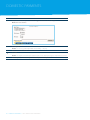
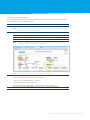
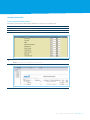
Any template can be restricted during the creation process by selecting the Restricted option
highlighted below.
Australia
3
4
5
New Zealand
Once you have saved the template header your ANZ Transactive Administrator will be
required to allocate access to the restricted Template through the use of a Data Role.
Once a User has been granted access to the Template, you can then log on to ANZ Transactive
select Domestic Payments > Templates > Modify. Once you have selected the Restricted
Template you can add payees to the template and then select Submit.
Depending on the level of entitlements assigned to you in ANZ Transactive this template may
also require approval before it can be used to process payments.
Importing payee details using a Restricted Template
Once you have created a Restricted Template payee information can be imported:
>>Australia - either via the File Import or Detailed Import option.
>>New Zealand - via the Detailed Import option.
Note: If using File Import for Australian payments, the DE User ID and Description of Entries on the importing ABA file must match the restricted template details exactly. If this is not done correctly the restricted import will fail and the confidential payment information will be free
for all Users to view.
If you have a hierarchy structure within ANZ Transactive, Restricted Templates can only be used within
the parent or Sub Group which created the template.
32 DOMESTIC PAYMENTS ANZ TRANSACTIVE USER GUIDE
Single Payments
This section covers the following Single Payments topics:
>>Single Payment Types and Cut-Off Times
>>Create a Transfer
>>Create an RTGS Payment
>>Create an International Payment
>>Get a Dynamic Exchange Rate
>>Create a Pay Bill Payment
>>Create a Single Payment Template
>>Create an RTGS Payment Template.
Need further help?
For additional assistance with Single Payments, please refer to Online Help in ANZ Transactive.
ANZ TRANSACTIVE USER GUIDE SINGLE PAYMENTS 33
SINGLE PAYMENTS
Single Payment Types and Same day value Cut-Off Times
In ANZ Transactive, Single Payments refer to:
>>Transfers
>>Real Time Gross Settlements (RTGS)
>>International Payments
>>MultiBank
>>Pay Bill (BPAY®)*.
Each of the payment types are detailed below:
Transfers
Domestic Same Currency Transfers within Australia and New Zealand will be processed same day real time
24/7.
Domestic Cross Currency Transfers within Australia and New Zealand will be processed same day MondayFriday until 8pm Melbourne time.
International Transfers between Australia and New Zealand in AUD/NZD will be processed same day MondayFriday until 4pm Melbourne time.
For all other International Transfers, International Payment cut-off times will apply.
Real Time Gross Settlement (RTGS)
Used within Australia for making same day transfers to any bank, credit union or building society.
Used within New Zealand for making irrevocable NZD payments to certain bank accounts in New Zealand
within one hour and can provide confirmation to the payer and beneficiary.
International Payments
Transferring funds to nominated beneficiary accounts worldwide using Australian, New Zealand
or traded foreign currencies.
MultiBank
MultiBank payments are used for sending payment instructions to another financial institution
to process International or Real Time Gross Settlement (RTGS) payments.
Pay Bill
Pay Bill provides BPAY capabilities for the Australian market place. Payments can only be funded
by ANZ retail, corporate or institutional accounts that are registered in ANZ Transactive.
* BPAY® is a registered trademark of BPAY Pty Ltd ABN 69 079 137 518.
34 SINGLE PAYMENTS ANZ TRANSACTIVE USER GUIDE
Cut-Off Times (AU originated payments)
The following table indicates cut-off times for same day payment processing for International, RTGS and Pay
Bill payments in Melbourne Time.
destination
New Zealand
melbourne time
10:30
Asia (including Indonesia)
11:00
Foreign Currency to Australian Beneficiary Banks
13:00
Europe/USA
16:00
Real Time Gross Settlement (RTGS) Banks
16:00
Australia Pay Bill
18:00
Cut-Off Times (NZ originated payments)
The following table indicates cut-off times for same day payment processing for International and RTGS
payments in New Zealand Time.
destination
New Zealand time
Asia (including Indonesia)
12:30
Australia
16:00
Europe/USA
16:00
Real Time Gross Settlement (RTGS) Banks
16:30
Future date a payment when not approved or released on payment date
If a payment has been created and approved with a future payment date but the payment is not released on
that payment date, a User with approval or release permissions can amend the payment date to current day or
next business day without re-approval of the original approvers and/or other Users. The User may not amend
the beneficiary or amount details of the payment.
A pop-up message will appear when the User is approving or releasing such a payment. Please ensure this
message is read carefully as it will explain whether or not the payment date may be amended and, if
allowable, advise the new payment date.
Note: Please acknowledge for payments with future payment dates:
>>Any payment approval (Votes Approval or Panel Approval) is final approval only of the payment amount and
beneficiary. Any approval of a future payment date is indicative only and subject to change without reapproval
>>The User’s next day’s Account Discretion or the User’s Daily Role Discretion may be affected by amending the
payment date of such payments.
To minimise the risk of any duplicate, inaccurate or revoked payments being released, any future dated
payments not released within 30 days of the original payment date requires re-approval of a new payment
date. It is important to monitor the Transaction Summary report for the release of future dated payments to
reduce this risk.
ANZ TRANSACTIVE USER GUIDE SINGLE PAYMENTS 35
SINGLE PAYMENTS
Create a Transfer
Step
1
Action
Click the Single Payments tab.
2
Select Payments > Enter > Transfer.
3
Result: The Transfers Required screen displays.
a) Select the Debit Account (i.e. account from where the money comes from)
b) Select the Credit Account (i.e. account to where the money will go)
Note:
You can select the accounts from the drop down list provided, or alternatively
select [...] which will also shown account names as well as account number
c) Enter the amount of the payment
Note:
4
For Cross Currency Transfers you can select and enter either the Credit
or Debit amount
d) The payment date will default to todays date. If you need to future date the transfer
select the required date for the payment to be processed.
Click Submit.
Next Steps:
>>Approve the payment
>>Release the payment.
36 SINGLE PAYMENTS ANZ TRANSACTIVE USER GUIDE
Create an RTGS Payment
RTGS payments can be created from:
>>Scratch, also know as freeform
>>template
>>template sets, and
>>file import.
Step
1
Action
Click the Single Payments tab.
2
Select Payments > Enter > RTGS.
3
Result: The RTGS Required screen displays.
a) Select the debit account
Note: If the debit account selected is a NZ domiciled ANZ National Bank account with a base
currency of NZD, the payment will be automatically identified as a NZ RTGS payment.
b) Enter the Beneficiary name
c) Enter the beneficiary account number
d) Enter the beneficiary address (if known)
e) Enter the amount to be paid
The Payment Date will default to today’s date. You can future date an RTGS Payment
by selecting the required date for the payment to be processed.
ANZ TRANSACTIVE USER GUIDE SINGLE PAYMENTS 37
SINGLE PAYMENTS
Step
4
Action
Enter the Bank Code (BSB), if known, and the beneficiary bank address details will
automatically pre-populate for you.
Note:
5
If the Bank Code is unknown but you know the Bank address, select [...] to choose
from the list of banks and bank codes in Australia.
Click Submit.
Note: For NZ RTGS payments, you can uncheck the field ‘Requires confirmation fax to
Beneficiary?’. However, if this remains checked then you must complete all the fields.
The system populates the Originator fax details. You can uncheck the field ‘Requires
fax to Originator?’ or you can modify any field as required. However, if this remains
checked then you must complete all the fields.
38 SINGLE PAYMENTS ANZ TRANSACTIVE USER GUIDE
Create an International Payment
International Payments can be created from:
>>scratch, also known as freeform
>>templates
>>template sets, and
>>file import.
They are then approved and released in the same way as all other payments.
Step
1
Action
Click the Single Payments tab.
2
Select Payments > Enter > International.
3
Result: The International Required screen displays.
Complete the International Required screen.
Note:
When choosing charges:
>>SHA = Charges are shared between yourself and your customer.
>>OUR = You pay all the charges.
These options relate to the sending and intermediary banks only. The receiving bank may still
charge the end beneficiary a fee which may be deducted from the amount sent.
Exchange Rates:
If you have a Forward Exchange Contract or BID rate organised through your ANZ dealer,
please type in the contract ID and the Exchange Rate at this point. When typing the Markets
deal number in the Contract ID field, do not enter the starting letter (either S or P).
Alternatively you can use Dynamic Rates function detailed in the Get a Dynamic Exchange
Rate section.
Note: If sending payments to European Union countries, the beneficiary’s International Bank
Account Number (IBAN) and beneficiary bank SWIFT code are generally required.
ANZ TRANSACTIVE USER GUIDE SINGLE PAYMENTS 39
SINGLE PAYMENTS
Step
4
Action
Click on the Optional tab.
5
Note: Mandatory fields have pre-populated.
Optional:
Click on the Additional tab.
If you are using a Markets deal please enter your customer reference number in the
CustRateRef field. This is a six digit number that begins with `60’ for ANZ clients and
`55’ for NBNZ clients.
This will expedite the processing of your payment.
6
Click Submit. Click OK.
Next steps:
>>Approve the payment
>>Get a dynamic exchange rate, if a cross currency payment, and
>>Release the payment.
40 SINGLE PAYMENTS ANZ TRANSACTIVE USER GUIDE
Get a Dynamic Exchange Rate
If you are creating a cross currency payment, you must use the Get Rate function to obtain an exchange
rate for your payment.
Only Users with a security device are able to use the Get Rate function.
Note: The payment must be approved before you can apply the Get Rate function.
Step
1
Action
Click the Single Payments tab.
2
Select Payments > Get Rate.
3
Result: The Get Rate screen is displayed.
Select the relevant payment and click Get Rate.
Result: Get Rate screen updates with current time and time of next refresh.
4
Select the relevant payment and click Trade.
Notes: Performing a trade on a ‘Get Rate’ will bind your company to an exchange contract.
See the application form for further clarification.
The trade needs to occur within 40 seconds of the ‘Get Rate’ request, otherwise
it will expire.
5
Click OK.
Note: The payment is now ready to be released.
ANZ TRANSACTIVE USER GUIDE SINGLE PAYMENTS 41
SINGLE PAYMENTS
pay bill (bpay) payments
Create a Bill Pay Payment
Pay Bill provides BPAY capabilities for the Australian market place.
Pay Bill payments can be created from:
>>scratch
>>template
>>template sets, and
>>file import.
Step
1
Action
Click the Single Payments tab.
2
Select Payments > Enter > Paybill.
3
Result: The Pay Bill Required screen displays.
Complete the Pay Bill Required screen.
Select the Account Number to be debited
Note: Once the account is selected, the BSB and account name will automatically display.
Enter the:
>>Biller ID (this is the BPAY Biller Code)
>>Reference (this is the beneficiary BPAY Biller Reference)
4
>>Amount and Date.
Click on Submit.
5
Click on OK.
Next Steps:
>>Approve the payment
>>Release the payment.
42 SINGLE PAYMENTS ANZ TRANSACTIVE USER GUIDE
BPAY Biller Reference
When viewing any of the Single Payment summary grids the Beneficiary Account field will display the
BPAY Biller Reference. The summary grids are shown when you:
>>Modify Single Payments
>>Repair Single Payments
>>Approve Single Payments
>>Unapprove Single Payments
>>Delete Single Payments
>>Enquire Single Payments
>>Release Single Payments.
ANZ TRANSACTIVE USER GUIDE SINGLE PAYMENTS 43
SINGLE PAYMENTS
Create a Single Payment Template
Creating templates for Single Payments must be done separately for each payment type. The templates
vary slightly, however, setting them up is similar. Once you have created one type, you will be able to
create others.
For further help with creating templates, please refer to Online Help within ANZ Transactive.
The following procedure demonstrates how to create an RTGS template.
Step
1
Action
Click the Single Payments tab.
2
Select Templates > Enter > RTGS.
3
Complete the RTGS Template Required screen.
Note: You can restrict this template.
4
Click Submit.
Next Steps:
The template will need to be approved before use.
44 SINGLE PAYMENTS ANZ TRANSACTIVE USER GUIDE
Create a Payment using a Template
Step
1
Action
Click the Single Payments tab.
2
Select Payments > Enter > the payment type (e.g. International)
3
Find available Templates, either:
>>Click the Template button at bottom of screen, or
>>Click the icon next to the Template field.
4
Select the template you wish to use
Note:
5
Only approved templates will display.
Complete any missing payment information, for example:
a) Payment Amount
b) FEC/ BID contact ID and Exchange Rate (if known)
6
Click Submit.
ANZ TRANSACTIVE USER GUIDE SINGLE PAYMENTS 45
Reporting
REPORTING
ANZ Transactive allows Users to generate reports for many purposes, for example, statements, payment
status reports, User entitlement reports.
This section covers the following reporting topics:
>>Report Description
>>Report Options
>>Downloading and Exporting Files
>>Account Reporting
>>Payment Reporting
>>Reports with Voucher Images.
Need further help?
For additional assistance with reports, please refer to Online Help in ANZ Transactive.
46 REPORTING ANZ TRANSACTIVE USER GUIDE
Reports Description
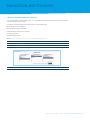
The following table outlines the reports available to you and a brief description of each report.
Report Name
Description
CURRENT DAY
Current Day Balance
Enquiry Report
Shows current day account balance information for
requested accounts.
Current Day
Transactions Report
Shows current day transactions for a requested account.
PRIOR DAY
Statement
Daily Balance Report
Balance History Report
Transaction Summary Report
Transaction Detail Report
Transaction Summary with
Voucher Images Report
Provides daily balances with debit and credit activities for requested
accounts for the prior working day
Presents opening and closing balances, total debit and credit
movements and other account information for requested accounts
for any prior working day. (9 accounts per page)
Presents opening and closing balances, total debit and credit
movements and other account information for a requested account
across a date range.
Shows a summary of posted transactions for requested accounts.
Provides a detailed view of posted transactions for
requested accounts.
This report is identical to the Transaction Summary Report, except that
it provides the ability for the User to retrieve and view voucher images
associated to the transaction.
RETURNED ITEMS
Returned Cheques Report
Returned Payments Report
Displays details relating to returned cheques, including reason
for returns.
Displays details relating to returned payments, including reason
for returns.
CUSTOMER ADMINISTRATION
Roles Report
User Entitlements Report
Security Audit Trail Report
Client Consolidated Report
Setup Log
Orphaned Payments
DE User ID Report
Lists detailed entitlements for each role, including access rights
(eg. Add, Modify, Approve) and limitations (eg. discretions).
Provides a listing of Users and their associated Roles with drilldown
capability to detailed entitlements for the selected Role.
Reports on activities performed within ANZ Transactive
including logon attempts, reference data updates and changes
made to Roles and Users.
Displays all accounts, Users and Roles associated with
a User Group with drilldown capability to account information
for the selected account.
This report provides Administrators with a view of activities that
have been performed by Users, including changes made to the
configuration of file import paths.
This report specifies any Single and Domestic Payments that have
been created by a User whose User Group is setup for Panel Approval,
however there is no valid panel that can approve the payments.
Reports on DE User IDs and their related User Group, approval code,
transaction set, funds BSB and funds accounts.
ANZ TRANSACTIVE USER GUIDE REPORTING 47
REPORTING
Report Name
Description
DOMESTIC PAYMENT REPORTS
Payment Summary
Totals Report
Provides a summary view of payment batches and their transactions
with a drilldown feature to audit trail entries against a selected batch
or transaction.
Provides a summary view of payment batches with a drilldown
feature to payment detail.
Payment Detail Report
Lists all payment batches and their detail transactions.
External Payment Identifier
Tracing Report
This report displays both the External Payment ID and the Transactive
batch number.
Payment Audit Trail Report
As you may only know one of the numbers, this report provides the
linkage between the two.
File Import Status Report
Payment Detail Import
Status Report
Template Audit Trail Report
Template Detail Import
Status Report
Domestic Payments
Discretions Report
For Host-to-Host clients only.
Lists all imported files used to create payment batches along with the
validation results of the import per transaction.
Lists all detail imports into payment batches along with the validation
results of the import per transaction.
Provides a summary view of templates with a drilldown feature
to audit trail entries against a selected template.
Lists all detail imports into payment batches along with the validation
results of the import per transaction.
Lists the statuses of all transactions imported into a template.
Lists account discretions and utilisations and role-based daily, batch
and transaction discretions and utilisations for payment types relating
to the Domestic Payments product.
48 REPORTING ANZ TRANSACTIVE USER GUIDE
Report Name
Description
SINGLE PAYMENTS REPORTS
Payment Summary Report
Provides a summary view of payments with a drilldown feature
to audit trail entries against a selected payment.
Provides a summary view of payments with a drilldown feature to detail.
Payment Detail Report
Provides a detailed view of payments.
Future Dated Payments
Report
Provides a summary view of future dated payments with a drilldown
feature to detail.
Payments Pending
Approval Report
Provides a summary view of payments pending approval with
a drilldown feature to detail.
Payment Data Export
Provides a detailed listing of payments and can be exported
immediately to a spreadsheet or other external system.
Provides a summary view of payment templates with a drilldown
feature to detail.
Provides a detailed view of all payment templates.
Payment Audit Trail Report
Template Summary Report
Template Detail Report
Template File Import
Status Report
Provides a summary view of templates with a drilldown feature
to audit trail entries against a selected template.
Lists account discretions and utilisations and role-based daily and
transaction discretions and utilisations for payment types relating
to the Single Payments product.
Lists all imported files used to create payments along with the
validation results of the import per transaction.
Lists all imported files used to create Templates along with the
validation results for the import per transaction.
External Payment Identifier
Tracing Report
This report displays both the External Payment ID and the Transactive
transaction number (Tnum).
Template Audit Trail Report
Single Payments
Discretions Report
File Import Status Report
As you may only know one of the numbers, this report provides the
linkage between the two.
For Host-to-Host clients only.
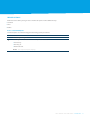
* Single Payment reports include Pay Bill payments, but the report labels do not use specific BPAY terminology.
ANZ TRANSACTIVE USER GUIDE REPORTING 49
REPORTING
Pay Bill Reporting
The latest update to ANZ Transactive included the addition of Pay Bill (BPAY).
When viewing reports it may not be clear where the Pay Bill information is displayed. The following
is a summary of where to find that information.
Filtering For Reports
Step
1
Action
Click the Single Payments tab.
2
Select Reports > Filter > select required report.
3
Select filter options to view the required report.
For Example: You can filter by:
>>Payment Type, and/or
>>Beneficiary Account.
Note: When the search includes the BPAY Biller Reference, use the Beneficiary Account
filter field.
View Reports
Step
1
Action
Enter filter criteria for the required report.
2
Click Enter.
Result: The requested report displays.
Note: For a payment type of Pay Bill the:
>>Beneficiary Account contains the BPAY Biller Reference
>>Beneficiary Bank ID contains the BPAY Biller Code, and
>>Beneficiary Bank Name contains the Biller Name.
50 REPORTING ANZ TRANSACTIVE USER GUIDE
Report Options
ANZ Transactive allows you to generate a number of reports in three different ways:
>>Standard
>>Filter
>>Profile.
Access a Standard Report
Standard reports are automatically generated using system parameters.
Step
1
Action
Click the Reporting tab.
2
Select Reports > Standard > select the report from either:
>>Current Day
>>Prior Day, or
>>Returned Items.
Result: The requested report displays.
ANZ TRANSACTIVE USER GUIDE REPORTING 51
REPORTING
Filter Reports
By selecting the Filter option, Users can apply filter criteria, such as date ranges, account numbers and
transaction amounts, to narrow the range of information returned on a report. Common uses of filter
reports include:
>>Searching for a specific transaction on a statement
>>Searching for transactions outside the date range on a standard report
>>Searching for specific payment types.
Step
1
Action
Click the Reporting tab.
2
Select Reports > Filter > select the report from either:
>>Current Day
>>Prior Day, or
>>Returned Items.
Result: The requested report filter screen displays.
3
Either:
1. Select Profile to choose an existing filter if you have created one, or
2. Select new filter criteria:
a. Click Field Name(s) for filter options
Result: The filter screen displays
b. Depending on the field, either:
>>Highlight and select items using the
or
icons, or
>>Select values from drop down lists
c. Select Save or Enter, depending on the filter screen.
4
Note: Any fields with a red asterisk are mandatory
Click Save if you want to save the filter criteria as a new Profile.
5
Click Enter.
Result: The requested report displays
52 REPORTING ANZ TRANSACTIVE USER GUIDE
Profile Report
Profiles can be set up to save your own filter criteria settings. They can be created from scratch or saved
from a filter report.
Step
1
Action
Click the Reporting tab.
2
Select Profiles > Add > Reports > select the report from either:
>>Current Day
>>Prior Day, or
>>Returned Items.
3
Result: The requested report Profile screen displays.
Type a name and description for the profile.
4
Select new filter criteria:
a. Click Field Name(s) for filter options
Result: Filter screen displays
b. Depending on the field, either:
>>Highlight and select items using the
or
icons, or
>>Select values from drop down lists.
c. Select Save or Enter, depending on filter screen.
5
Note: Any fields with a red asterisk are mandatory
Click Add.
Note: You can set up multiple profiles to save you time.
ANZ TRANSACTIVE USER GUIDE REPORTING 53
REPORTING
Downloading and Exporting Files
Account information can be downloaded into various file formats for uploading into your
accounting system.
For further assistance with downloading, please refer to Online Help within ANZ Transactive.
Please refer to the ANZ Transactive File Formats document for complete file format information.
file type
BAI
Number of files produced
One file for all balances and transactions.
Statement
Two separate CSV files for statement:
>>balances, and
SAP Multi-cash
>>transactions.
Two separate SAP files for statement:
>>balances, and
Returned Items
>>transactions.
Three separate fixed width text formatted files for returned:
>>debits
>>credits, and
>>cheques.
54 REPORTING ANZ TRANSACTIVE USER GUIDE
Creating and Downloading Files
There are two steps to downloading account information:
1. Create the file; and
2. Download the file
1. Create the file
Step
1
Action
Click the Reporting tab.
2
Select Download > the file type > Create.
3
Select the required filter criteria.
4
Click Enter.
5
The file(s) are being created.
Note the Export ID number for later use.
6
Click Download to proceed to Step 2: Download a file.
Note: Foreign currency account data may arrive later than domestic account data. If you
have foreign currency accounts, you may wish to wait until all account information
has been received in order to avoid downloading duplicate data.
ANZ TRANSACTIVE USER GUIDE REPORTING 55
REPORTING
2. Download the File
Step
1
Action
Click the Submission Time column heading to sort the list.
2
Note: The file submission time stamp will always be identical for files created at the
same time.
Select the required file from the options displayed.
3
Click Download
4
Save the file in the appropriate location, choosing a relevant file name.
Account Reporting
Generate a Prior Day Report
The two most common Prior Day reports are:
>>Daily Balance
>>Statements.
For assistance with generating other prior day reports, please refer to Online Help within ANZ Transactive.
Step
1
Action
Click the Reporting tab.
2
Select Reports > Standard > Prior Day > select the report from the menu.
3
Result: The requested report will display.
Click the + icon to drill down for further detail on other accounts.
56 REPORTING ANZ TRANSACTIVE USER GUIDE
Account Reporting
Generate a Current Day Report
In order to obtain the most up-to-date balance and transaction information, you should perform
a Current Day Balance/Transaction Request before generating a standard Current day report. This is
because the standard Current Day report will only contain the balance/ transaction information that
was retrieved by the last Current Day Balance/Transaction Request.
To request a current day report with a live balance* you must select the Current Day Request tab from
the Reporting menu.
* Live balances are not available for all account types.
Step
1
Action
Click the Reporting tab.
2
Select Current Day Request > Request Balance.
3
Select the account number using the filter.
4
Select Enter.
5
Result: Current Day Balance Request screen is displayed.
Click View Report.
Result: The Balance Enquiry Report is displayed.
Note: This gives you a live balance and can be generated anytime throughout the day.
ANZ TRANSACTIVE USER GUIDE REPORTING 57
REPORTING
Payment Reporting
Create a Payment Summary Totals Report
This report is generated as a standard report.
Step
1
Action
Click the Domestic Payments tab.
2
Select Reports > Standard > Payment Reports > Payment Summary Totals.
Result: The Payment Summary Totals Report is displayed.
3
Click on Group Tree then click to display individual Batch IDs.
Note: When you select a Batch ID, it will display the page of the report that the ID details
are located on.
58 REPORTING ANZ TRANSACTIVE USER GUIDE
Payment Reporting
Create a Payment Summary Report
This report is generated as a filter report, therefore can be set up as a profile report.
Step
1
Action
Click the Single Payments tab.
2
Select Reports > Filter > Payment Summary.
3
Enter the Transaction Date and any other filter criteria.
4
Click Enter.
5
Result: The Payment Summary Report is generated.
Click Group Tree to locate individual account details.
ANZ TRANSACTIVE USER GUIDE REPORTING 59
REPORTING
Report with Voucher Images
Vouchers associated with individual transactions, for examples cheques, remittance slips and other
credit and debit paper items, can be viewed via the Transaction Summary with Voucher Images Report.
Note: Voucher images are only available for retail and corporate/institutional accounts.
Step
1
Action
Click the Reporting tab.
2
Select Reports > Standard or Filter > Prior Day > Transaction Summary with Voucher Images.
3
Filter the search criteria, if required.
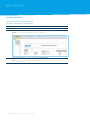
Result: The Transaction Summary with Voucher Images report displays.
4
Click on the required transaction.
5
Result: The Transaction Detail with Voucher Images Report displays.
Click on the View voucher image(s) link.
Note: If no voucher images are available, the message No voucher image(s)
available displays.
60 REPORTING ANZ TRANSACTIVE USER GUIDE
Step
6
Action
Select the voucher you wish to view from the Voucher Images Summary grid.
Result: The transaction details and voucher display.
ANZ TRANSACTIVE USER GUIDE REPORTING 61
Host-to - Host
Host-to-Host enables you to:
>>automatically upload payment and payables files created by your
accounting system to ANZ for processing.
>>automatically download receivables files from ANZ to be viewed in your
accounting system.
Once a file has been uploaded, you can either:
>>manually approve and release the payment in ANZ Transactive, or
>>have your files automatically approved/released without manual
intervention (called Straight Through Processing or STP)
You can then track the progress of your payments via either:
>>ANZ Transactive, or
>>‘Reply files’ sent to you by ANZ to be viewed in your accounting system.
Important
If you would like to know more about any of this
functionality, please speak to your ANZ Representative.
62 HOST-TO-HOST ANZ TRANSACTIVE USER GUIDE
NAVIGATION AND TOOLBARS
Create a Toolbar Shortcut Button
To save time when creating reports, you can create toolbar shortcut buttons that will appear at the top
of your ANZ Transactive screen.
Examples of shortcut buttons you may want to create would be for:
>>Generating a Prior Day Report
>>Payments Summary Total Report
>>Profile Reports that you have created
>>Creating payments
>>Approving payments.
Note: A shortcut button can not be created for Current Day Requests.
Step
1
Action
Click the Utilities tab.
2
Select Toolbar Maintenance > Add from the menu.
3
Select the product, function and action that you wish to save as a shortcut.
4
Click Next.
ANZ TRANSACTIVE USER GUIDE NAVIGATION AND TOOLBARS 63
NAVIGATION AND TOOLBARS
Step
5
Action
>>Enter a Tooltip to display when you move the mouse over the toolbar button.
>>Select an Image for the new toolbar button.
Note: Select the Run automatically at log on option if you want to run the shortcut
automatically when you log on to ANZ Transactive.
6
Click Save, then OK.
Result: The new Toolbar button is displayed at the top of your screen.
64 NAVIGATION AND TOOLBARS ANZ TRANSACTIVE USER GUIDE
Navigate in ANZ Transactive
Use the table below to assist you with navigating in ANZ Transactive.
Function
Button
Description
Group Tree
Show the navigation tree to quickly access specific
batches, accounts or transactions.
First/ previous page (reports)
Go to the first/ previous page of a multi-page report.
First/ previous page (lists)
Go to the first/ previous page of a multi-page list.
Next/last page (reports)
Go to the next/last page of a multi-page report.
Next/last page (lists)
100%
100%
100%
Go to the next/last page of a multi-page list.
Page number (reports)
3
3 3
Type a page number in the text box.
Press Enter to go to that page.
Page number (lists)
/9
/9 /9
Page 1
Page
1 1
Page
of 6
of of
6 6
100%
Refresh
3
Print
100%
100%
Update and re-display the report with the latest data.
/9
33
Display the Print dialog box.
/9
/9
Page
100% 1
Export
of 6
Page
Page 11
3
Search for text (reports)
Zoom
Type what you want to find in the text box.
Click the binoculars icon to locate it.
of 6
3
Click the binoculars icon to display search criteria for
the list.
Select a percentage value to zoom in or out.
100%
100%
3
Display the Export the Report screen.*
of
of 66
/9
Page 1
Reselect (lists)
Type a page number in the text box.
Press Enter to go to that page.
/9
/9
100%
100%
100%
3
3
Page 1
/9 Page 1
3
/9
/9
Page
1
100%
of 6
3
Page 1
Page 1
of 6
of 6
/9
of 6
of 6
Page 1
of 6
ANZ TRANSACTIVE USER GUIDE NAVIGATION AND TOOLBARS 65
66 ANZ TRANSACTIVE USER GUIDE
ANZ TRANSACTIVE USER GUIDE 67
Australia and New Zealand Banking Group Limited (ANZ) ABN 11 005 357 522. ANZ’s colour blue is a trade mark of ANZ. Item No. 77172 01.2012 W259351
anz.com