1
ARIAMAIL3
6
1
USER GUIDE
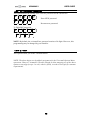
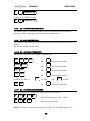
volume [1..9]
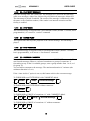
Volume for EXTERNAL calls:
6
2.1.8
2
volume [1..9]
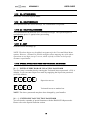
[7] – SYSTEM VM BOX ACCESS
The default system voicemail box (Box 0) can be accessed exclusively from the
Supervisor Menu. Commands are the same as for regular boxes.
2.1.9
[8] - PLAY SYSTEM INFO
The Ariamail3 announces the Serial Number and the available memory card space in
minutes.
The announcement is played twice.
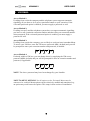
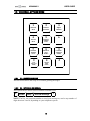
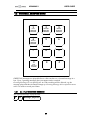
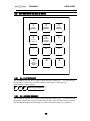
2.1.10 [9] – DATE AND TIME SETUP
This option is used to set the machine’s date and time.
year year year year
month month
day
*
OR
*
OR
day
*
OR
hour hour
*
OR
to keep current value
to keep current value
to keep current value
to keep current value
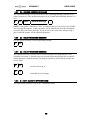
1
If HOUR less than 12:
2
for AM
min min
OR
*
OR
for PM
to keep current value
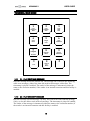
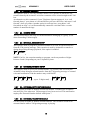
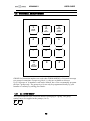
2.1.11 [0] – SUPERVISOR PASSWORD
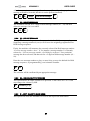
This option allows the setting of the Supervisor access password.
0
?
?
?
?
?
?
?
?
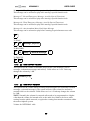
Enter NEW password [1000…9999]
Re-enter new password
NOTE: The supervisor password consists of 4 digits. The first digit cannot be ‘0’.
18