1
ARIAMAIL3
USER GUIDE
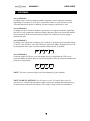
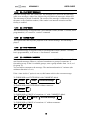
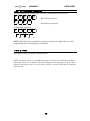
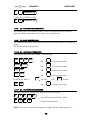
After the tone, voice your message. Press * to stop. (Note: if you hang up, the
message will still be recorded, but this is not the preferred method).
2
2.2.3
n
n
* beep *
Record message
*
[3] – DELETE MESSAGE
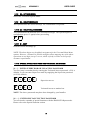
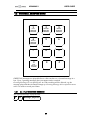
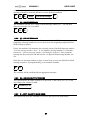
The Ariamail3 will ask for a 2-digit on-hold message number (01 – 99) and then
delete the message if it is recorded.
3
2.2.4
n
n
[4] – SELECT MESSAGE
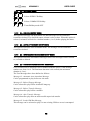
This option allows the Supervisor to force a particular On-Hold message to play.
Supplying a message number 0 (zero) will revert to the originally programmed OnHold message sequence.
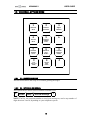
Firstly, the machine will announce the currently selected On-Hold message number:
“Current message number: three” if, for instance, message number 3 is currently
selected or “Current message number: On-Hold play sequence” if no particular
message has been selected, and then ask for a 2-digit on-hold message number (01 –
99).
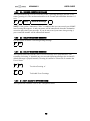
Enter the new message number to play, or enter 00 to revert to the default On-Hold
message sequence, as programmed by your Ariamail3 Installer.
n
n
The selection will be confirmed by an appropriate message.
2.2.5
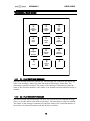
[5] – ON-HOLD OUTPUT VOLUME
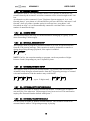
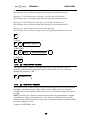
This option allows an output volume to be specified. Valid values are 1 to 9. Each
step changes the volume by 2dB.
5
2.2.6
volume [1..9]
[*] – EXIT (BACK TO MAIN MENU)
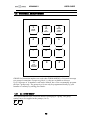
This option will cause the Ariamail3 to revert to the Supervisor Main Menu.
21