1
Introduction
Powerline Adapters are ready to use out of the box and do not require the installation of any software to work. They can be connected to
computers, routers, gaming consoles, hubs, IPTV set-top boxes, and other Ethernet devices regardless of operating system.
How Does It Work?
Powerline Adapters utilise the existing electrical wiring in the house as a path to send an Internet signal between a household modem and
the connected device at the other end. The Powerline Adapters that are in your box are pre-paired so all you have to do is plug them in,
in accordance with the QSG and you are ready to begin. With a maximum data rate of up to 200 Mbps, Powerline Adapters can reliably
handle high throughput applications like broadband Internet, high definition video streaming, Voice over IP and high definition gaming.
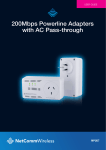
The NP204 also has a built-in AC pass-throughsocket that allows you to connect other electrical devices to the same power outlet. The AC
pass-throughsocket will filter out the noise created by the connected devices, ensuring the data signal is not compromised.
Powerline converts digital signals to a complex analog signal that traverses along the electrical wires. When receiving the analog signal,
Powerline converts the analog signal back to digital. To make the signal secured, a 128-bit AES encryption is applied.
A Powerline device can only communicate with other Powerline devices that use the same Private Network Name. The Private Network
Name can be changed manually using the Powerline Utility software on a computer with a Windows operating system (downloadable off
the NetComm website). When you use the software, you have to manually type the Private Network Name for the device. Another way
to change the Private Network Name is to use the Simple Connect button. Simple Connect automatically creates an encrypted Private
Network Name. It can also be used to reset the Private Network Name or to add a device into an existing Powerline network.
Note: Powerline devices from the Twin Pack are already configured to use a common Private Network Name unique for that pair and are ready to use.
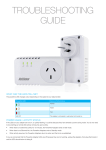
When a Powerline Adapter communicates with another device, the Powerline Activity LED color will give you an idea about the connection
rate: red means below 30 Mbps; amber means 30 to 80 Mbps; and green means more than 80 Mbps.
200Mbps Powerline Adapters User Guide
4
YML204
www.netcomm.com.au