1
Same of operation logic to patrol application. Patrol card and
Entry / User card prohibit to cross register under different
programming mode.
3) Programming Entry Cards to the reader for the first time. (Not
required if Entry Cards already register & packed as a kit)
a) It is advised that a registration log is used to record which cards
have been programmed to each reader as detailed above.
b) Make sure that the Master Programming Card is to hand. Also
make sure that all of the Entry Cards to be programmed are to
hand.
c) Check reader is powered up. This will be confirmed by power LED
being on.
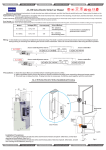
d) Hands the Master Programming Card to the reader, this will put
the reader into programming mode. If this has been successful
this is confirmed by Door/Patrol LED changing to an red colour. A
long beep (du – du) tone will be heard.
e) Offer the first Entry Card to the reader. A single confirmation beep
tone should be heard. This card has been programmed to the
reader. Record this as Card No1 along with Card's serial number
in log book against Memory Location No1(Site 1) also noting the
authorised card holder and the date. Offer the next Entry Card to
the reader and again a confirmation beep should be heard. This
Entry Card should be recorded similarly as Card No 2 in Memory
location 2 (Site 2). This procedure should continue until all the
Entry Cards have been programmed.
f) Once all cards have been programmed it is necessary to end
programming mode. To do this offer the Master Programming
Card once again to the reader. Two long beeps (du-du ; du-du)
should be heard confirming that Programming Mode has ended.
The right side Door/Patrol LED will go out.
g) All of the Entry Cards you have programmed allowed to open this
Lock.
-
19