1
Appendix
Address & set address (reader/lock number)
of RFID access control kit
In general, user can set max. 4096 RFID reader no. (or we can say “reader
ID”, “reader address”) and network max. 4096 electric locks under this
solution. Default address of each RFID kit will be a no. from 4096 to 0001.
Before testing or real site installation, user still with lead time to check,
change this address as he wish. Procedure described as below:
After the installation of supplier’s standard application software for network
management, user can open window tables and with icon “Address”. Just
key in the specified address number into the said column and get related
data for further operation. Or, hold a pre-programmed Entry card to
reader, user can see the correct lock no. jump out & showed on the real time
monitoring menu.
Following procedure & description are important to system user especially
request each kit set on a specified no. to logic their management.
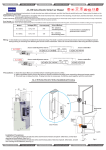
1) Open the case of RFID proximity card reader.
Take off the PCB circuit inside the case. Please see U8 & U9 position on
the component side.
2) There are printed, white color indicators showed on the right side U9 IC
(S1 to S8) & left side of U8 IC (S9-S12). If the default status of this
address is 4096, all points from S1 to S12 are “OPEN” without solder.
-
27