1
Quick Guide
1.Insert a SIM card (not included) into the SIM card slot located beside the case
(Press yellow button to release).
Note:4G SIM cards are acceptable to use with this device however the unit
only operates on a 2G band.
This unit requires data to be activated on your pre-paid or contract SIM card.
(Recommend order 20-30M/Month data package)
2.Insert the tracker into the OBDII socket (mostly located under the car
panel,12V or 24V vehicle compatible ), the tracker will power on automatically.
3.Contact your mobile service provider to obtain the APN name in order to
view the location on the tracking website. APN s vary depending on your SIM
card s plan (i.e. pre-paid or contract)
4.Enter the following command via SMS on your the tracker to set the APN"name":
Send SMS "APN*123456*apnname"(123456 refers to the default password)
For example:
Plan: Vodafone Pre Paid
APN Name : live.vodafone.com
Send SMS: APN*123456*live.vodafone.com
If the APN "Name" has been entered correctly, you will receive a SMS stating
"APN:live.vodafone.com"(example)
Note: The APN name needs to be entered correctly otherwise the location
may show up in China, Africa, etc.
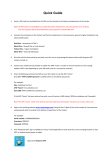
5.Login to the tracking website (www.responsegps.com) using the last 7 digits
of the serial number for the username and password which is located in the
battery compartment of the tracker.
For example:
App name:
Serial number: CC2014012345678
ResponseGPS
Username: 2345678
Password: 2345678
6.Free Response GPS app is available on iTunes
and www.responsegps.com tracking platform to
easily view the current tracking location on your iOS
or Android smart phone or tablet.
1