1
4
Challenger V8 & V9
User Manual
RAS indications
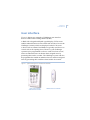
RASs typically have one or more red area light-emitting diodes
(LEDs) to indicate whether their areas are armed, disarmed, or in
alarm state. Area LEDs are lit when the corresponding area is
armed, and flash to indicate that an alarm has occurred in the
area.
Note:
When an area LED on a door’s RAS is lit, the area is armed. Do not
open the door unless you can disarm the area1 or you may trigger
an alarm.
Some RAS models have additional LEDs that indicate faults and
other conditions. Refer to the particular model’s Installation
Guide for details.
A RAS with an LCD screen enables authorised users to use the
Challenger system’s menus, and displays messages about alarms
or unsealed inputs that may prevent an area from being armed.
The RAS’s beeper provides a number of indications:
•
•
•
•
1.
A short beep indicates that a valid card is presented at a
reader or a key is pressed on a keypad.
Seven short beeps indicates that a PIN or card is not valid
at the particular RAS or at the particular time, or that the
area you are attempting to arm has an input that is
unsealed or in alarm.
A continuous tone indicates that an input test is being
performed.
Continuous beeping indicates that one or more inputs are
in local alarm.
Your Challenger system may be programmed to shunt (ignore) certain
inputs when a door is opened in order to allow temporary access when
armed. Consult your installation company if in doubt.