1
Chapter 2
Using Challenger
Isolating inputs
You may need to isolate an input to prevent false alarms (possibly
due to a faulty input device). Isolating the input excludes it from
functioning as part of the intrusion detection system.
If an input is in an alarm state, then isolating it resets the alarm.
After the problem is resolved the input must be de-isolated (see
De-isolating inputs on page 26).
A faulty input is typically unsealed, and cannot be sealed. You
can also isolate sealed inputs if you know the input number.
From the “Menu” prompt, use the following steps to isolate an
input.
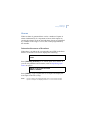
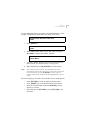
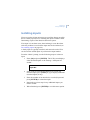
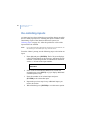
1. Enter [10] and press [ENTER]. The LCD screen displays
either unsealed inputs or the message “All Inputs are
Sealed”.
Unsealed on 1,Front door
Input No:
2. If the LCD screen indicates that there is at least one
unsealed input, press [NEXT] or [*] to display additional
unsealed inputs (if any).
3. Enter the number of an unsealed (or a sealed) input and
press [ENTER] to isolate that input.
4. Repeat the previous step for any additional inputs you
need to isolate.
5. When finished, press [ENTER] to exit this menu option.
25