1
Chapter 2
Using Challenger
Local alarms
A local alarm is one which occurs when an area is occupied
(disarmed) and is therefore transmitted only within the building
and not relayed to a remote monitoring station (for example, a
fire door has been opened).
Responding to a local alarm
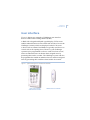
When there is a local alarm, the corresponding area LED on the
RAS flashes red, and the RAS beeps continuously. The LCD
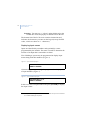
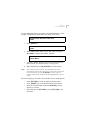
screen displays the following:
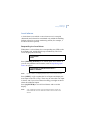
Local Alarm
Code:
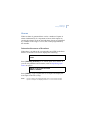
Press [ENTER] [ENTER] to see which inputs are in alarm. If
you see only numbers and no names, refer to Displaying input
names on page 6.
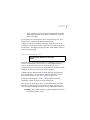
Local Alarm on A3,Rear Fire Door 1
NEXT or ENTER
Note:
Inputs in alarm are displayed with an A in front of the number.
Press [NEXT] or [*] to update the list of inputs and display the
next inputs in the list (if any). There may be more than one input
in alarm, and if you reset without checking you might not know
about the additional inputs.
Press [0] [ENTER] to reset all local alarms and to exit the
display.
Note:
Your Challenger system may be programmed to require an
authorised user to enter their PIN code to reset certain local
alarms.
19