1
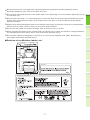
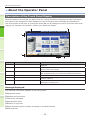
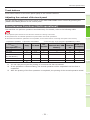
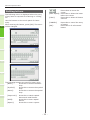
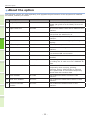
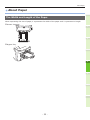
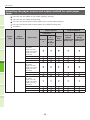
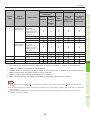
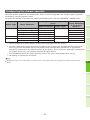
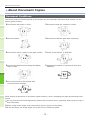
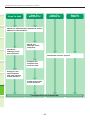
About the Operator Panel Touch buttons Press these buttons on the touch panel lightly to set various functions. Adjusting the contrast of the touch panel You can set the contrast of the touch panel in the USER FUNCTIONS menu entered by pressing the [USER FUNCTIONS] button on the control panel. Simultaneous Functions (Multi-operational) 1 This machine can perform operations simultaneously. For details, refer to the following table. Note ••The operator panel cannot be used when the machine is scanning a document. ••The performance of individual operations may deteriorate when multi-operational. ••Sometimes simultaneous operations are not possible, such as when there is not enough free space in the memory. :Operation Available ×:Operation Unavailable Second Operation First Operation Copy Fax Send Fax Receive Scan to Email/Network PC/ USB Memory Scan to Remote PC Print from Computer Copy Fax Send × ×*1 × ∆:You Fax Receive 2 can copy if you press the [INTERRUPT] button. Scan to Email/ Network PC/ USB Memory Scan to Remote PC Print from Computer *3 *2 *3 × *2 × *3 × × × *3 *3 3 4 *1You can copy as long as the printing of a received fax has not started. *2If one operation is communicating, the second operation will be suspended until the first is completed. *3After the printing of the first operation is completed, the printing of the second operation starts. 5 6 - 21 -