1
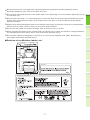
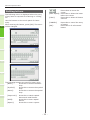
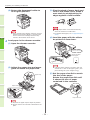
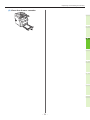
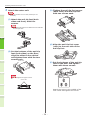
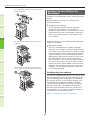
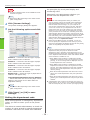
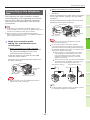
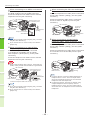
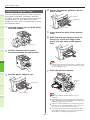
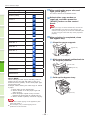
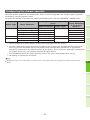
How to Load the Paper 7 After setting the paper size and About Auto Tray Switching (Auto Tray Switch Function) paper type, press [OK]. The menu returns to the BASIC menu. 8 Select other copy modes as required, and then press the [START] button on the control panel. When a drawer or bypass tray runs out of paper while printing, the machine locates another drawer or bypass tray with the same size of paper and begins feeding paper from that drawer. If an additional drawer unit has been installed, up to 1460 pages can be continuously printed or copied (A4 paper only). 1 QQPaper Switch Order. When operating the automatic paper feed funtion, the following order of priority for the drawer or bypass tray is selected. 2 Memo ••If you are loading non-conventional paper such as OHP film or labels in the bypass tray, the auto tray switch may mistakenly use the wrong paper source. In this situation, we recommend configuring paper other than plain paper in advance. 3 When you are printing copies or received faxes. Drawer 1 Drawer 2 Drawer 3 Drawer 4 Bypass Tray When you are printing from the computer. 4 Starting from the drawer or bypass tray that is currently being used, follow the settings of the [Paper Source] of the printer driver. 5 6 - 69 -