1
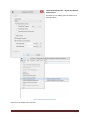
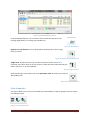
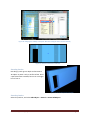
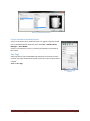
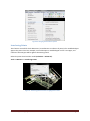
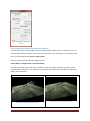
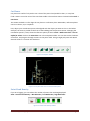
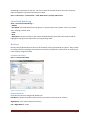
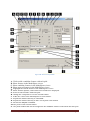
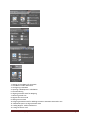
O. Displays coordinate data for the current feature. Click the arrow icon to edit the coordinate
data. Click the lock icon to keep that value constant..
P. Select a feature code library.
Q. List of values for the available attributes.
R. The Create Lines area. Select the creation of a polyline or polygon, supply the Code
Tags that will be prepended to each corresponding feature, then click the Start button.
S. Click to customize the attributes displayed.
T. Invokes the Customize Lookup Lists command. See Customize Lookup Lists for
information on managing the libraries.
U. Visibility of each attribute in the graphical window.
V. Click to select or enter a value for the desired attribute.
W. Undo last add features.
X. Commit the candidate features.
Y. Click to export current added features.
Z. Click to close the Virtual Surveyor.
C.R.Kennedy & Company
Page 62