1
12. ADVANCED FUNCTIONS
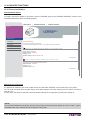
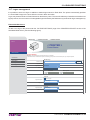
With the tools in the “Printer Support” section, it is possible to download drivers, manage logos and test some printer
function for demonstrative and service purpose,
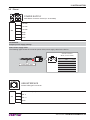
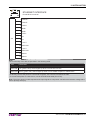
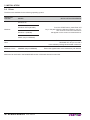
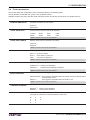
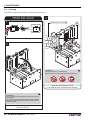
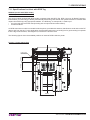
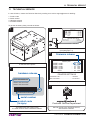
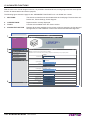
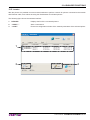
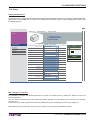
The following figure shows the page for the “ADVANCED FUNCTIONS” tool. It is divided into 4 areas:
1.
SECTIONS:
The web server has three sections listed within each web page. These sections are:
Device Info, Printer Settings, Printer Support.
2.
CURRENT PAGE
Reports section currently displayed.
3.
TOOLS
Lists the tools available within the chosen section.
4.
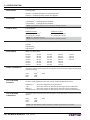
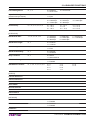
ADVANCED FUNCTION
Displays all the tests available for the printer: printing a test page, the font test and
the logos test, the self-calibration of the notch sensors and the ticket alignment.
1
'(9,&(,1)2Ň35,17(56(77,1*6Ň35,17(56833257
Web Site
< PRINTER >
Ticket Printer
2
3
PRINTER SUPPORT
Download Driver
Advanced Function
Warning : Use these function only when the printer is in standby!
All functions below, if used while the printer is executing a print job from communication port, may corrupt the printout.
Advanced Function
Test Page
Picture Settings
Print Test Page
Font Settings
Firmware Upgrade
Exec Test Page
Logo Test
Logo Description
Logo Test
Print all Logos
Exec Logo Test
Font Test
Font Description
Font Test
ESC/POS - 11 CPI
Exec Font Test
Advanced Function
Notch Autoset
Characterize Paper
Align icket to print
4
Align ticket to cutter
Cut Paper
Reset To Factory Default
136 KPM302-KPM303
User manual
Exec Notch Autoset
Exec Paper Characterization
Exec Align
Exec Align to cut
Exec Paper Cut
Reset To Factory Default