1
Prima LT
U S E R S
G U I D E
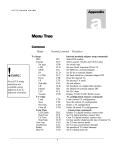
MENU NAVIGATION
<Interface><Internal TA> …
<Initialize>
COMMAND
WINDOWS RC
CTF
TA,
Configuration
CTR
N/A
DESCRIPTION
Set TA interface mode
Reset the
adapter
internal
terminal
The TA201 terminal adapter provides one S/T interface for one ISDN
BRI (2 x 64 kb/s) line. In North America, the Telco provides a ‘U’
interface, therefore an external NT-1 must be used between the Prima
LT and the wall jack. Elsewhere, the Telco provides an S/T interface
and an external NT-1 is not needed. The TA201 contains all country
specific configuration and provisioning information in memory, and
there is no need to change ROM chips when using your Prima LT in a
different country.
The TA301 is similar the TA201 except that it contains a built-in NT-1
and connects directly to the ISDN ‘U’ interface provided in North
America. No external NT-1 is required.
Prima LT’s top-down terminal adapter configuration menu does not
require unnecessary information, and only those parameters
appropriate for the terminal adapter type and country setting are
required.
Probably the most confusing aspect of ISDN codecs is configuring the
Terminal Adapter for the ISDN in your area. This is especially true in
North America, where there are several local ‘flavors’ of ISDN that are
all provisioned differently. Elsewhere, configuration of the terminal
adapter may be as simple as insuring the proper country is selected.
In North America, the ISDN service provider must supply certain
information to allow you to correctly configure the Terminal Adapter:
•
ISDN ‘Flavor’, e.g. National ISDN or Custom.
•
Service Provider Identification Numbers (SPID numbers).
National ISDN always requires SPID numbers; some locations
using Custom ISDN may not require SPID numbers. If SPID
numbers are required, most areas use two, but some
implementations require only one.
The following parameters are entered in sequence. You can exit the TA
programming sequence at any time by pressing the up arrow button.
5-4