1
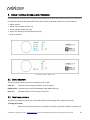
3 ACOUSTIC MEASUREMENT
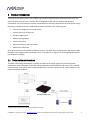
The Dirac Live Calibration Tool Stereo for miniDSP uses a set of measurements made in your listening room to
calculate correction filters for the left and right channels. The measurements are made using the Dirac Series
audio processor and the supplied UMIK-1 measurement microphone. No additional hardware or connectivity is
required.
3.1 LOUDSPEAKER AND MICROPHONE POSITIONING
Prior to performing acoustic measurements, loudspeaker and listening positions should be optimized. Some
experimentation will be required to obtain the results that you think best, starting with the recommendations of
the loudspeaker manufacturer. With Dirac Live®, you have more freedom with loudspeaker placement but the
best result will still be achieved if optimal loudspeaker placement is used together with Dirac Live®.
Many loudspeakers perform best away from the walls, both the front wall (behind the loudspeakers) and the
side walls. Experiment with toe-in – many loudspeakers benefit from pointing directly at the listening position or
even slightly in front. The listening position should also be away from the rear wall, as placing the listening chair
or sofa right against the wall will result in increased early reflections and changes in timbre.
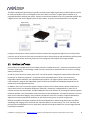
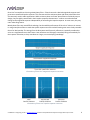
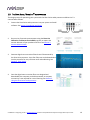
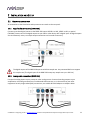
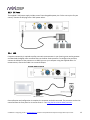
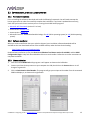
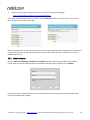
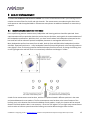
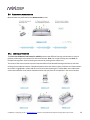
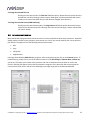
A total of nine measurements must be taken, with the microphone located in different positions in the room
and pointed between the two speakers. The first measurement must be taken at the central location of the
listening area, as this location sets the levels and delays of each speaker. Usually, this location will be an equal
distance from both speakers but it is not necessary – Dirac Live® will adjust if it is not. Eight more measurements
are then taken at locations spread around the listening room and at different heights from the floor.
miniDSP Ltd – Hong Kong / Email : [email protected] / Features and specifications subject to change without prior notice
15