1
SYSTEM SETTING
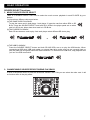
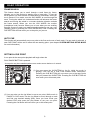
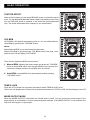
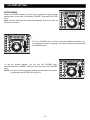
Once enter the SETUP mode you can browse the items by turning FOLDER knob, and pressing FOLDER
knob to on or off item selection, see more details of the different submenus and options as below:
) TIME MODE: You can select different time display by pressing the FOLDER knob to switch between
elapsed and remaining.
The default setting is REMAIN TIME
) PLAY MODE: This function allows you to choose single-track play or continuous track play (all tracks in order).
The default setting is CONTINUOUS play.
) AUTO CUE: This will indicate if the Auto Cue is on or off.
The default setting is AUTO CUE.
) REPEAT: OFF –All the tracks in the music source device will play in the normal mode.
REPEAT: ON –The tracks within one folder are playback.
The default setting is REPEAT OFF.
) RELAY: Press the FOLDER knob to switch the RELAY on and off.
RELAY: OFF –The left and right players will automatically be in the continuous play mode.
RELAY: ON –The left and right players will automatically be in the single play mode.
The default setting is RELAY OFF.
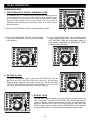
) CROSSFADER ACTIVE: Only available when MIXER OUTPUT is ON. Press the FOLDER knob to switch
the CROSSFADER on and off. This fader is used to mix the output signals of the left and right players.
CROSSFADER: OFF –The output signals of both players will be even.
CROSSFADER: ON –The mix signals from the left and right players according to the crossfader position.
The default setting is CROSSFADER ON.
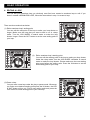
) Reset all: In the “Reset all?” section, this will reset all your programmed menus and restore the unit to its
default settings. Press the FOLDER knob will return all function setting to default setting automatically and
then "reset OK" will display in the LCD.
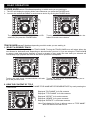
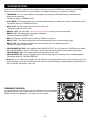
FIRMWARE VERSION
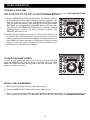
You may display the unit firmware version Firmware is the unit internal
programming code. Once enter setup mode and then turn the FOLDER
KNOB until Vxx.xx is displayed. “x’s” are the version number.
15