1
BASIC OPERATION
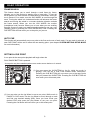
STUTTER EFFECT
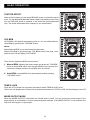
When a loop is playing you can press RELOOP button to restart the loop at
once. You can also press this button when a track is not playing in loop. Every
time the RELOOP button is pressed, it will restart the pre-programmed
loop. The stutter effect adds extra creativity to your performance.
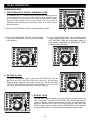
TAP BPM
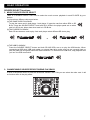
AUTO BPM is the default mode when power on. You can switch Manual
/Auto BPM by pressing the “TAP BPM” button.
Notice:
Switch Manual BPM on just need one touch the button.
Switch Auto BPM on by pressing the “TAP BPM” button more than 1 sec.
and then the LCD will display “AUTO BPM”.
There are two modes for BPM count as below:
1. Manual BPM: following the music tempo and press the “TAP BPM”
button to count BPM value; from the auto BPM to manual mode, the
value won’t change until the correct BPM value is counted.
2. Auto BPM: counting BPM value automatically without pressing
“TAP BPM” button.
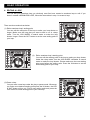
TEMPO LOCK
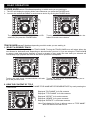
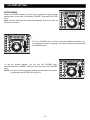
Press the PITCH button for more than 2seconds to switch TEMPO LOCK on/off.
”Pitch Lock” will display when Tempo lock on and 2seconds later icon “PITCH LOCK” will also display in the LCD.
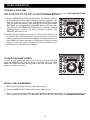
MIXER OUTPUT MODE
When the MIXED OUTPUT is activated, the internal mixer is used. You can connect the mixed output of the
player directly to an amplifier or a set of powered speaker cabinets. If the MIXED OUTPUT is not activated, the
output will send player 1 output signal.
13