1
6.4
Change settings for reports
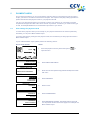
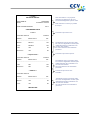
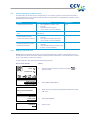
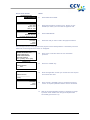
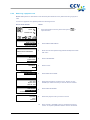
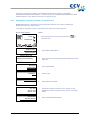
The E-journal feature is activated on your payment terminal by default. As a result, your payment
terminal will print one receipt after performing a transaction by default. The second receipt (the copy of
the receipt for your records) is temporarily stored in the memory of the payment terminal. After
performing a deactivation of the terminal, all the copies of the receipts will be printed automatically.
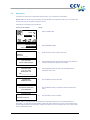
You can enable or disable the E-journal feature as desired. The following subsections provide an
extensive instruction on enabling or disabling the E-journal.
6.4.1
Enabling the E-journal
To enable the E-journal you should:
•
set the maximum number of transactions to be stored in the E-journal;
•
set the number of transactions after which you want to receive a warning that the E-journal is
almost full.
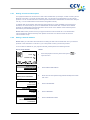
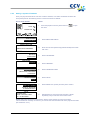
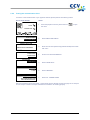
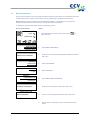
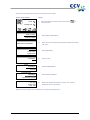
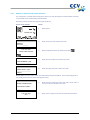
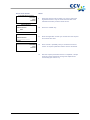
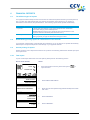
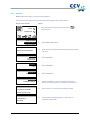
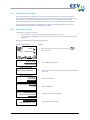
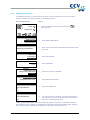
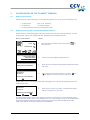
Perform the following actions to enable the E-journal:
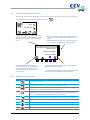
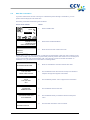
Screen of the VX 520
SALE
01.06.12
Action
1
Press the purple function key below the symbol
open the menu.
to
OTHER TRX
MAIN MENU
DISPLAY INFO
MERCHANT MENU
SERVICE MENU
2
Select MERCHANT MENU.
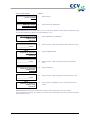
3
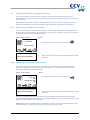
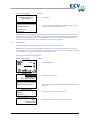
Enter the merchant password (by default 99999) and confirm
with <OK>.
4
Select CONFIGURE.
5
Select TERMINAL.
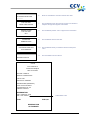
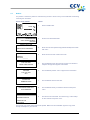
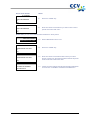
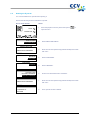
6
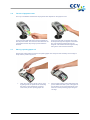
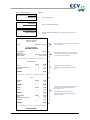
Scroll to and select E-JOURNAL.
7
Select MAX TRX ENTRIES.
PROTECTED ITEM
MERCHANT PASSWORD:
_____
MERCHANT MENU
REPORTS
FUNCTIONS
CONFIGURE
CONFIGURE
TERMINAL
C-TAP
TERMINAL
COMMUNICATION
MERCHANT PASSWORD
E-JOURNAL
E-JOURNAL
MAX TRX ENTRIES
THRESHOLD ALM. FULL
CID110A/08062013
44 / 56