1
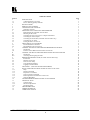
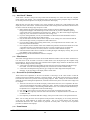
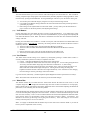
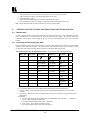
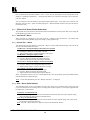
Table Of Contents
Section
1
1.1
1.2
2
3
4
4.1
5
5.1
5.2
5.3
5.4
5.5
5.6
5.7
6
6.1
6.2
7
7.1
7.2
8
8.1
8.2
9
9.1
9.2
9.3
9.4
9.5
10
11
11.1
11.2
11.3
11.4
11.5
11.6
12
13
13.1
13.2
13.3
14
15
16
Page
INTRODUCTION
A Word about Scan Converters
Factors Affecting Quality of Results
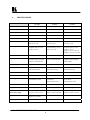
SPECIFICATIONS
HOW DO I GET STARTED?
UNPACKING AND CONTENTS
Optional Accessories
MOUNTING AND CONNECTING THE HARDWARE
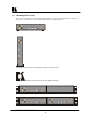
Rack Mounting the VP-702SC and VP-703SC
Mounting the VP-701SC
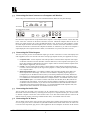
Connecting the Scan Converter to a Computer and Monitor
Connecting the Video Outputs
Connecting the Serial Cable (VP-702SC and VP-703SC only)
Connecting the AC Power
Turning the Scan Converter On
ABOUT THE SCAN CONVERTER
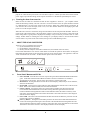
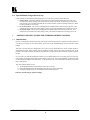
Front Panel Buttons and LEDs
Special Button Usage on Power-up
CONTROL AND SETUP USING THE INFRARED REMOTE CONTROL
Introduction
Functions of thee RM-SC Infrared remote Control Unit
CONTROL AND SETUP USING THE FRONT PANEL BUTTONS AND OSD
Introduction
Activating and Navigating the OSD
REMOTE MOUSE EMULATOR (VP-702SC and VP-703SC only)
Introduction
Hardware Connection
Scan Converter Setup
Using the Mouse Emulator
Toggling Zoom/Pan Modes
ADVANCED… (OSD ADVANCED ADJUSTMENTS)
RS-232 COMPUTER CONTROL OF THE VP-702SC and VP-703SC
Setup
Sending Commands
Responses to Commands
Notes on Sending Commands
Restricting RS-232 Commands to Certain Units
Changing Baud Rates
GETTING THE MOST FROM YOUR SCAN CONVERTER
TECHNICAL DATA
Computer Input
Subcarrier Adjustments
Fuse Replacement
TROUBLESHOOTING
LIMITED WARRANTY
COMPLIANCE NOTICE
KRAMER ELECTRONICS, LTD.
2
3
3
3
4
5
5
5
5
5
6
7
7
7
7
8
8
8
9
9
9
10
13
13
13
15
15
15
16
16
16
16
17
17
18
18
18
19
19
21
22
22
22
22
23
25
26