1
6.2 Special Button Usage on Power-up
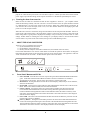
Certain buttons can be held down when applying power to the unit, to perform certain functions:
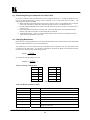
Factory Reset – Hold down both the OS/US and Freeze Buttons when turning the unit on. This will
reset the unit to Factory Settings (and set the unit into NTSC video mode). It should only be used if the
unit's settings give an invalid output that the user cannot exit from, as all user-settings will be lost. Noteuse this procedure as a last resort.
Set to NTSC Mode – This is done by holding the OS/US Button down when turning on the unit. This
changes the non-volatile PAL/NTSC setting to NTSC, and will be remembered even when power is off.
Set to PAL Mode – This is done by holding the Freeze Button down when turning on the unit. This
changes the non-volatile PAL/NTSC setting to PAL, and will be remembered even when power is off.
7
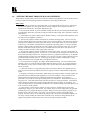
CONTROL AND SETUP USING THE INFRARED REMOTE CONTROL
7.1
Introduction
By now you should have the Scan Converter powered up and working with your computer and video monitor. If
you don't get an image on your video monitor, please refer to the Troubleshooting section at the back of this
manual.
This Scan Converter has been designed for ease of use, and you should find most of the controls simple to
understand and apply. Some features, such as Brightness Control, require more than one button press on the
Remote Control Unit (SC-RM), but this has only been done to reduce the number of buttons required to operate
the unit.
If at any time you find that the Remote Control or Front Panel Buttons are not working, then you may have
inadvertently pressed the LOCK Button on the Remote Control Unit. The continual flashing of the Power LED
on the Front Panel indicates the Lock Mode. A description of how to turn this feature on and off is provided
later in this manual.
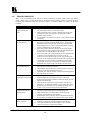
This section of the manual covers:
All the Infrared Remote Control features of the Scan Converter.
Setup and adjustments for the unit and the effect they have on the final image.
Storing the settings so they are remembered by the unit the next time.
Therefore, the following is required reading!
KRAMER ELECTRONICS, LTD.
9