1
1
INTRODUCTION
Congratulations on your purchase of this Kramer Electronics Scan Converter. Since 1981, Kramer has been
dedicated to the development and manufacture of high quality video/audio equipment. The Kramer line has
become an integral part of many of the best production and presentation facilities around the world. In recent
years, Kramer has redesigned and upgraded most of the line, making the best even better. Kramer’s line of
professional video/audio electronics is one of the most versatile and complete available, and is a true leader in
terms of quality, workmanship, price/performance ratio and innovation. In addition to the Kramer line of high
quality Scan Converters, such as the one you have just purchased, Kramer also offers a full line of high quality
video scalers, matrix switchers, distribution amplifiers, processors, interfaces, controllers and computer-related
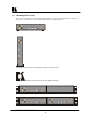
products. This manual includes configuration, operation and option information of the following Kramer Scan
Converters for the video professional. These Scan Converters are similar in operation but differ in features.
VP-701SC
1.1
VP-702SC
VP-703SC
A Word about Scan Converters
Kramer’s Digital Scan Converters are designed to convert computer signals of varying resolutions and vertical
refresh rates into standard NTSC and PAL video signals. NTSC and PAL television systems are much lower in
resolution than typical computer signals. Computers can often output over three times as many horizontal lines
as standard analog television resolutions. Scan Conversion is the process of fitting a higher number of lines of
information into a lesser number of available spaces. Kramer Scan Converters are designed and manufactured
to the highest possible performance standards and are capable of providing high resolution results, however, it is
important to understand the overall process of scan conversion and its inherent limitations.
1.2
Factors Affecting Quality of Results
There are many factors affecting the quality of results when computer images are converted to standard video.
An entire section of this manual entitled ‘Getting the Most from your Scan Converter’ goes into detail, but here
are a few major points up front.
Beginning Resolution – As a general rule, the less the conversion ratio, the better the results. Standard
NTSC and PAL resolutions are near the computer’s VGA resolution of 640x480, so generally, the nearer
you begin to that resolution the better the results. The common mistake is to assume that the higher the
beginning computer resolution, the better the NTSC or PAL results. The reverse of this is the actual fact.
Sometimes a lower beginning computer resolution in not possible, but when it is possible, use it.
Output Display Device – The S-Video or RGB output will provide a better final image, because unlike
the Composite output, the luminance and color signals are kept separate. This results in less color
smearing and a sharper image. When possible, use the S-Video or RGB output, rather than Composite.
Distance between the computer and Scan Converter – This plays a major role in the final result and
the distance should be kept to a minimum. The Scan Converter is supplied with a high quality 6’
computer input cable. Longer distances are possible, but special measures should be taken in order to
avoid cable losses. These include using high quality (coax-type) cables or adding line amplifiers.
Output connection cables – Low quality cables are susceptible to interference. They degrade signal
quality due to poor matching and cause elevated noise levels. Therefore, cables should be of the best
quality.
Interference from neighboring electrical appliances – These can have an adverse effect on signal
quality. For example, an older computer monitor often emits very high electromagnetic fields that can
interfere with the performance of video equipment in its proximity.
KRAMER ELECTRONICS, LTD.
3