1
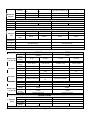
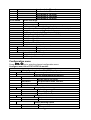
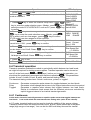
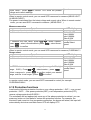
12、Set the condition when stop testing, COMPLETE mean stop STOP CONDITION
test When all the steps are completed, FAILURE mean stop test ﹥COMPLETE
when the testing fails. Press ▲ 、 ▼ keys to select, such
FAILURE
as <complete>, press Enter key to confirm.
13、Whether you need to link to the next file to be tested, if you PROGRAM CHAIN
need to link to group 2, press number key 2, 0 stands for not NO: 1
linking to other files. Press Enter key to confirm.
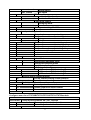
PROGRAM 1
Sequence
Save Group
PROGRAM 2
Sequence
Save Group
:
:
PROGRAM 10
Sequence
Save Group
1
2
3
4
5
6
7
8
9
10
1
1
2
2
3
3
4
4
5
5
6
6
7
7
8
8
9
9
10
10
11
12
13
14
15
16
17
18
19
20
1
2
3
4
5
6
7
8
9
10
91
92
93
94
95
96
97
98
99
100
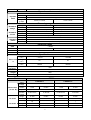
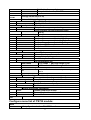
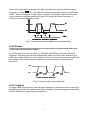
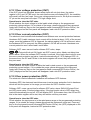
14、Save the edited files in EEPROM, you can save up to 10 SAVE PROGRAM
NO:
1
1
to save the
groups of files, e.g please press numeric key
edited file in group 1, and then press Enter to confirm.
Esc
>RUN
15、Press
key to exit.
PROGRAM
RECALL
PROGRAM
EDIT
PROGRAM
EXIT
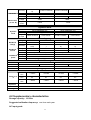
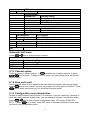
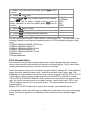
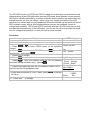
16、Select the channel you want to edit, then edit every group’s
every step, we select channel 3 and channel 5 in above, press
▼
、 ▲
keys to switch channels, after selecting channel 3.
﹥MODE =CC
RANGE=HIGH
I SET =1.00 A
Enter
>CONST
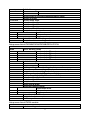
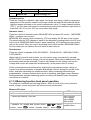
18、You can edit every step’s mode, ﹥MODE =CC, press
CURRENT
key to enter the menu, press ▼ 、 ▲
key to select mode,
CONST
VOLTAGE
for example, select ﹥Const Current, press Enter to confirm. CONST RESIS.
Press ▼
to select range, for example, RANGE=HIGH, press
Enter
to enter the menu.
19、Press ▼
key, move the cursor to ﹥I SET =1.00 A, CONST CURRENT
17、Press
Setup
key
62