1
JBL SYNTHESIS SDP-45
DOLBY VOLUME MODE ADJUST
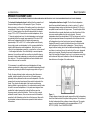
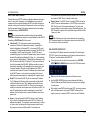
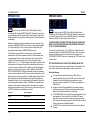
When any of the Dolby Volume selections are made then the additional
configuration settings are displayed in the lines 3 and 4 on the screen:
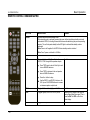
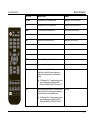
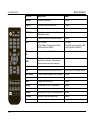
DD VOL OFFS 0.0dB - use the Volume knob to adjust Dolby Volume
level offset from –20.0 to +20.0dB. This parameter defines the
maximum sound level for the recording (as it should have been
listened to originally, in a studio etc). For example, when listening to
a movie, this value could be increased initially during the loudest
portion of the recording, to set the reference for the loudest parts. A
positive VOL OFFS value makes the average output sound less
loud, negative VOL OFFS value makes it louder. For most systems
we recommend a setting of +6dB to obtain a comfortable level.
NOTE
DD VOL OFFS does NOT have to be continuously adjusted
during a playback; this is an optional once per movie adjustment!
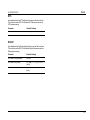
DD VOL MID/SIDE OFF – use volume knob or SURROUND left/right
arrow to toggle this parameter ON or OFF. MID/SIDE is relevant only
in STEREO mode and causes Dolby Volume algorithm to
automatically re-balance the left and right channels. Default is OFF.
NOTE
The Dolby Volume algorithm only operates at 96kHz sample
rate and lower. When set to any ON mode if a bit-stream is received at
192kHz then that bit-stream is automatically sample rate converted down
to 48kHz before being processed by Dolby Volume.
- 60 -
Dolby Volume