1
ARTS PDF Stratify 1.1
4.4
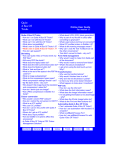
The ARTS PDF Stratify Window
This window allows the user to create and manage layers with the current Acrobat
document. On the Macintosh version the window may be resized vertically by clicking
and holding with the mouse in the area between the layer list and the bottom of the
window.
4.4.1 Layers
•
New...
Clicking this button causes a new layer to be created.
A dialogue box will appear with a fill-in field for the
layer name.
•
Delete
When an existing layer is selected, this button allows
the user to delete the layer. When layers are deleted
the objects within the layer remain in the document.
•
Merge...
The user can select two or more layers then click this
button to merge them into a single layer.
•
Security...
This button is used to set a password for the
document. The password is used to control the
locking and unlocking of layers.
Note: Setting security for layers does not affect overall
document security. Document editing tools such as the
Acrobat touch up tools or ARTS PDF ImageWorks can
still be used to make changes to objects in the
document. For complete document security use
Acrobat’s security features.
•
Rename...
After selecting a layer this button allows the user to change the layer’s name.
•
Select
This button will cause all of the objects in currently highlighted layer(s) to be selected.
Page 8 of 13
ARTS PDF Stratify Documentation
Copyright © 1998 – 2003 ARTS PDF