1
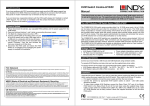
that a check mark is present (skip this step if you are using Windows 2000).
If TCP/IP is NOT listed, you will need to install it before your wireless card will
work. Follow the instructions below to install the TCP/IP protocol:
1. Go to Start>Settings>Control Panel
2. Double-click on the Network icon.
3. Click on the name of your wireless card, and click the Add button.
4. Select Protocol and click Add.
5. Under "Manufacturers", select Microsoft.
6. Under "Network Protocols", scroll down and select TCP/IP. Click
OK.
7. The TCP/IP protocol is now installed and available for your wireless
card to use. Repeat letters A-D above to confirm proper installation
and binding.
If you are still unable to use the wireless service after completing all of the
troubleshooting steps above, please contact Customer Support at
800-12-67-97
Revision: 3-02-A
©2006 Bluwireless