1
6
Backing Up Files
This chapter describes how files are backed up by BA-ServerEd to the backup server
6.1
How files are backed up
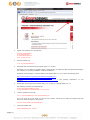
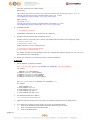
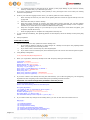
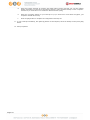
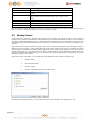
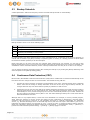
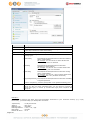
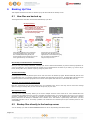
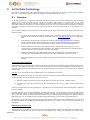
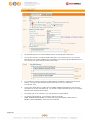
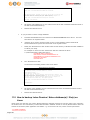
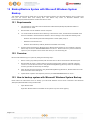
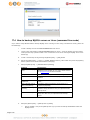
The diagram below describes how BA-ServerEd backup your files.
Backup Operations:
1. Collect all files which are new or have
been updated since last backup
2. Each of these files is zipped,
encrypted and securely backed up
to Online Backup Server through
Secure Socket Layer (SSL)
User’s Computer
Backup Server
User Directory
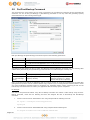
Online Backup Manager can be configured
to start automatically every night. All user
files created/updated during the day will
then be backed up to the backup server on the
same night without any user intervention.
Backup Directory
All users' files are encrypted by a
world's first class 128-bit encryption
algorithm with a user defined encrypting
key. File content is meaningless to
everyone except the user.
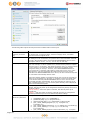
Run backup at scheduled time automatically
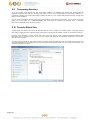
Once you set your backup scheduled, a backup job will be started automatically to perform backup operation for
you at your absence. You can have backup running at your scheduled time as often as you want (e.g. twice a day or
hourly during office hour) without requiring doing any extra work.
Incremental Backup
Unchanged files are already backed up to server and need not to be backed up again. BA-ServerEd will pick the new
or updated files from your backup set files and upload only these files to the server. It significantly reduces the time
required to perform the backup operation since most users update less than 5% of their total data each day.
Compress and encrypt data automatically
Data are compressed and encrypted before they are uploaded to the server. Not only does it reduce the storage
space to keep you backup files, it also ensures the privacy of your data.
File Retention Policy
The built-in file retention policy allows you to access multiple versions of the same file or even deleted files from
your backup set. Backup files are put into a retention area before they are removed from the server. If you want to
get back a deleted file (or you want to get back the previous versions of an updated files) within the retention
period, these files will always be available in the retention area. This feature is particularly useful when you have
accidentally deleted a file or incorrectly updated a file within the file retention period (file retention period is user
customizable).
6.2
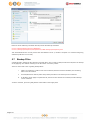
Backup files directly to the backup server
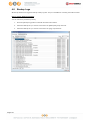
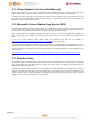
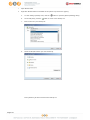
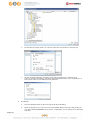
You can backup your data to BACKUPAZIENDALE Server Sicuro by following instructions below.
Pagina 43