1
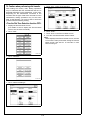
III. Setting the FAX
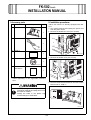
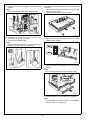
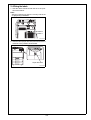
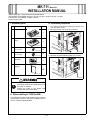
6. Connect the modular cable.
Note:
Plug the modular connector into the modular jack
(LINE) on the right side of the main unit.
1. Plug the power cord into the power outlet and
turn on the machine.
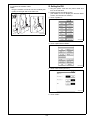
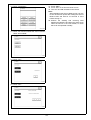
2. Display the Service Mode screen.
(For details of how to display the Service Mode
screen, see the service manual.)
3. Touch “System 2.”
A0DCIXC010DA
A00JIXE115DA
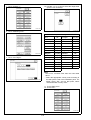
4. Touch “Option Board Status.”
A02EIXE062DA
5. Touch “Set” of Fax (circuit 1).
A00JIXE117DA
6. Touch “END.”
E-5