1
Field Service Ver. 2.0 Dec. 2008
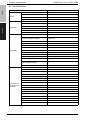
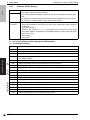
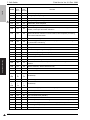
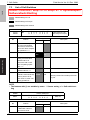
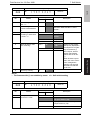
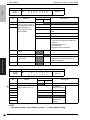
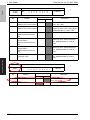
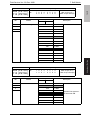
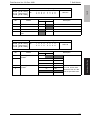
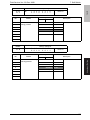
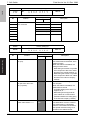
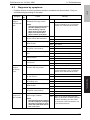
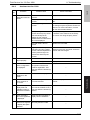
Cause
Remedy
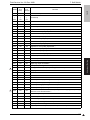
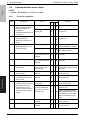
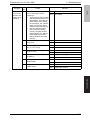
1
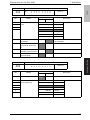
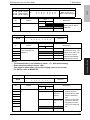
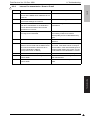
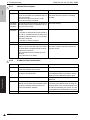
Proceed to the following proceYES Normal
dure. Is the image memory
NO Go to item 2
backed up?
A. TX: Disconnect the line cable
and proceed a quick memory
transmission. Turn OFF the
power switch while waiting
for the answer. Turn ON the
power and check if data is
stored in the image memory.
B. RX: Turn OFF the power
switch while proceeding
memory reception without
printing paper. Turn ON the
power again and check if
data is stored in the image
memory.
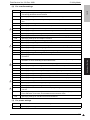
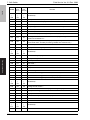
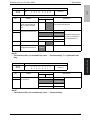
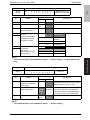
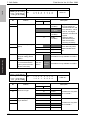
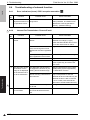
2
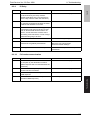
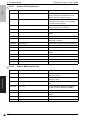
Is the connector of BCRU board
connected?
YES Go to item 3.
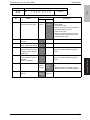
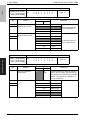
3
Is the battery voltage appropriate? (1.2 V or more)
YES Go to item 6.
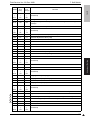
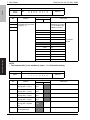
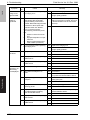
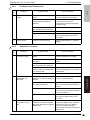
4
Is the battery full charged?
(Approx. 24 hr)
YES Go to item 5.
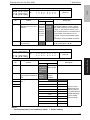
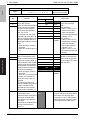
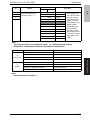
5
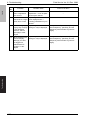
Any improvement after replacing
the battery?
YES Replace the battery.
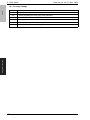
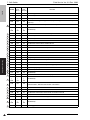
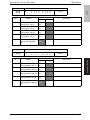
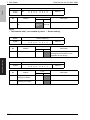
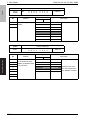
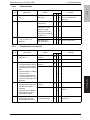
6
Any improvement after replacing
MFBU board?
YES Replace MFBU board.
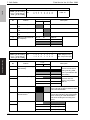
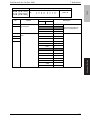
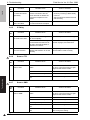
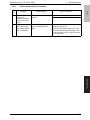
7
Any improvement after replacing
RAMU board?
YES Replace RAMU board.
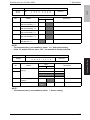
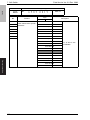
FK-507
Image memory (memory
stored for TX
image) is not
backed up.
Item
No.
NO Connect the connector.
NO Go to item 4.
NO Charge the battery.
NO Go to item 6.
NO Go to item 7.
NO Replace the machine.
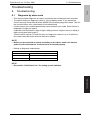
Troubleshooting
Symptom
8. Troubleshooting
103