1
Monitoring Workload Capture Using Views
In this example, the FINISH_CAPTURE procedure finalizes the workload capture and
returns the database to a normal state.
Tip: After capturing a workload on the production system, you need
to preprocess the captured workload, as described in Chapter 10,
"Preprocessing a Database Workload".
Exporting AWR Data for Workload Capture
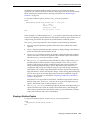
Exporting AWR data enables detailed analysis of the workload. This data is also
required if you plan to run the Replay Compare Period report or the AWR Compare
Period report on a pair of workload captures or replays.
To export AWR data, use the EXPORT_AWR procedure:
BEGIN
DBMS_WORKLOAD_CAPTURE.EXPORT_AWR (capture_id => 2);
END;
/
In this example, the AWR snapshots that correspond to the workload capture with a
capture ID of 2 are exported, along with any SQL tuning set that may have been
captured during workload capture.
The EXPORT_AWR procedure uses the capture_id required parameter, which
specifies the ID of the capture whose AWR snapshots will be exported. This procedure
will work only if the corresponding workload capture was performed in the current
database and the AWR snapshots that correspond to the original capture time period
are still available.
Monitoring Workload Capture Using Views
This section summarizes the views that you can display to monitor workload capture.
You can also use Oracle Enterprise Manager to monitor workload capture, as
described in "Monitoring Workload Capture Using Enterprise Manager" on page 9-10.
To access these views, you need DBA privileges:
■
■
The DBA_WORKLOAD_CAPTURES view lists all the workload captures that have
been captured in the current database.
The DBA_WORKLOAD_FILTERS view lists all workload filters used for workload
captures defined in the current database.
See Also:
■
Oracle Database Reference for information about these views
9-16 Oracle Database Real Application Testing User's Guide