1
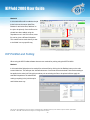
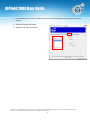
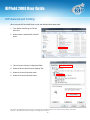
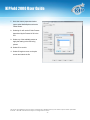
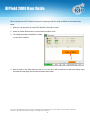
KIPFold 2000 User Guide KIP Autocad and Folding When using the KIP AutoCAD Driver to print and fold files follow these steps: 1. From Within AutoCAD go to File and then Print. 2. Double click the installed KIP AutoCAD driver. 3. This will open the Plotter Configuration Editor 4. Select the Device and Document Settings Tab 5. Select the Custom Properties option 6. Select the Custom Properties button No part of this publication may be copied, reproduced or distributed in any form without express written permission from KIP. 2013 KIP. All references subject to change without notice - 16 -