1
PPIN_EI01.fm Page 6 Thursday, June 19, 2003 1:51 PM
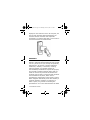
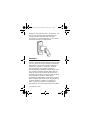
Confirmation Beep: When an operation is
successfully entered, the reader emits a rapid series
of beep tones (“beep-beep-beep-beep-beep”).
Rejection Beep: When the system reverts to a
previous status or an operation is incorrectly
entered, the reader emits one long beep tone
(“beeeeeeeeeep”).
PROGRAMMING
Ensure that corresponding programming is
completed in the control panel or controller
connected to the PosiPin.
To Program:
1. Press and hold the [CLEAR] key for 4 seconds.
The reader emits a confirmation beep and the
green LED illuminates.
2. Enter the [INSTALLER CODE]. Press the
[ENTER] key.
(default:000000) Reader emits a confirmation
beep and the green LED flashes.
3. Enter the 3-digit [SECTION]. Press the
[ENTER] key.
Reader emits a confirmation beep and the
green LED stops flashing.
4. Enter the required [DATA]. Press the [ENTER]
key.
The reader emits a confirmation beep and the
green LED flashes.
6 Installation Manual