1
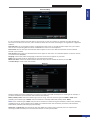
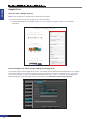
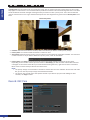
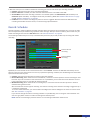
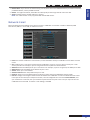
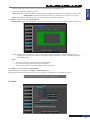
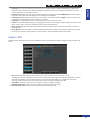
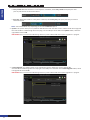
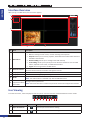
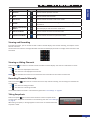
• Date/Time: You can set the date and time manually or allow the NVR to update automatically, using the NTP
(Network Time Protocol). If you decide to modify manually then click on the date/time box and via on-screen
keyboard enter the current date and time.
• Date Format: Define the format of the date. For example, if you keep the default MM/DD/YY and today’s date is
November 19th, 2013, the date appears on the footages as 11/19/2013.
• Time Format: Define the format of the time. For example, if you keep the default 24Hour and the current time is
5:29:54 PM, the time appears on the footages as 17:29:54.
• Language: The language of the menus, alerts and other communications on NVR.
• Flicker: 50 Hz or 60 Hz, depending on your geographical location. For example, in USA the flicker should be set to
60 Hz, if set to 50 Hz, then the live video from the camera will be flickering.
• Menu Timeouts: Define the time the NVR will exit the menus when they are not in use and return to the Live
Viewing screen.
• Show Wizard: Check this option if you want the Startup Wizard to reappear every time the device is turned ON.
Normally you would go through some or all of the items in the wizard at first startup of the NVR.
ENGLISH
Mars Home NVR Combo Kit: Operating the NVR
System: DST
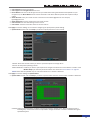
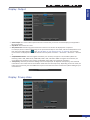
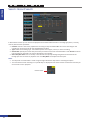
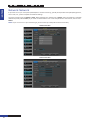
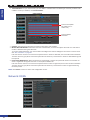
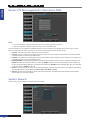
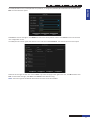
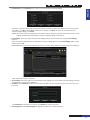
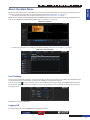
Configure these parameters if you want to update the NVR’s clock automatically when daylight saving time starts and
ends.
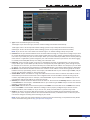
• DST: Stands for Daylight Savings Time. Make sure if in your country the DST is observer or not.
Typically the clocks are adjusted forward one hour near the start of spring and are adjusted backward in autumn.
Although NTP (Network Time Protocol) allows you to synchronize the NVR with a remote time server over
Internet, please be noted that some of the NTP servers are not fully compatible with DST.
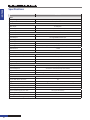
• Time Offset: Select the amount in hours by which the time changes during DST.
• Daylight Saving Time: Choose to set the daylight saving time in weeks or in days.
• Start Time/End Time: Set the start time and end time for daylight saving.
NVR User’s Manual
69