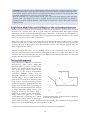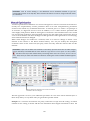
1
Elevation surface
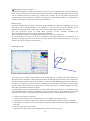
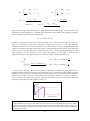
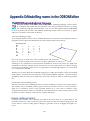
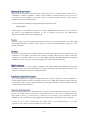
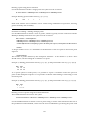
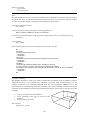
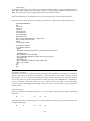
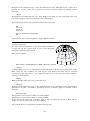
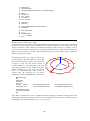
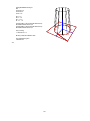
Use The ElevSurf statement to define a series of vertical surfaces from a series of
perimeter points plus an elevation height. The perimeter points are typically
defined using the MPt statement. The syntax of ElevSurf is:
Z
O
X
Y
ElevSurf
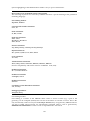
FirstSurfaceNumber><FirstPointNumber><SectionsInElevSurf><Height><Optional name>
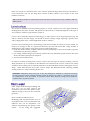
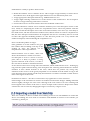
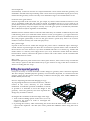
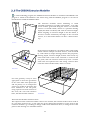
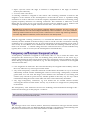
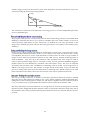
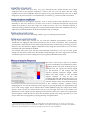
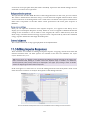
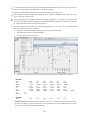
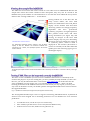
Example on use of the MPt and ElevSurf statements:
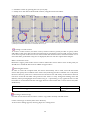
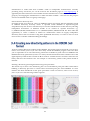
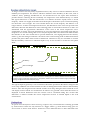
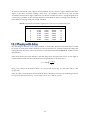
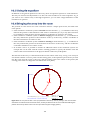
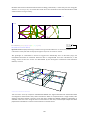
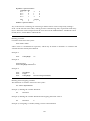
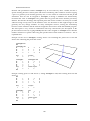
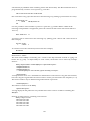
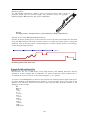
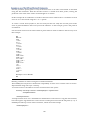
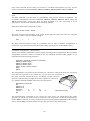
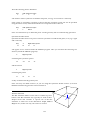
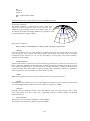
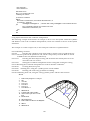
First the perimeter points (point 1 to 23) at the floor level of an office environment are described
using the MPt statement. Then the elevation surface is created from these points, creating the
perimeter walls of the office with a constant height of 2.7 metres. Finally the floor and ceiling is
created using the Surf statement.
0.00
10.00
20.00
14
11
40.00 metres
18
19
22
17
20
21
15 16
12
10
30.00
1
7
13
6
5
4
3
9
2
8
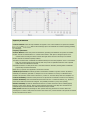
Perimeter points at the floor level
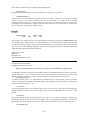
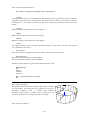
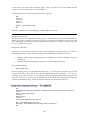
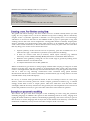
Demonstrates the use of MPt (multi point), Surf (Surface) and ElevSurf (Elevation surface)
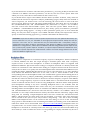
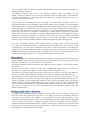
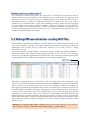
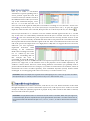
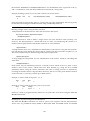
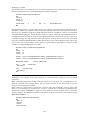
statements. In this example the X-coordinates are made in absolute values whereas the Ycoordinates in most cases are in- or de-creased using the =+ or =- options
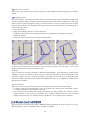
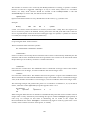
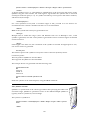
To create a closed ElevSurf (that is, the first wall joins the last wall) first and last point in the series
of points handled to the ElevSurf must be identical - in this example, point 1 and point 23 are
identical. If an elevation surface has 22 surfaces, then 23 points must be made available to the
ElevSurf as in this example.
###
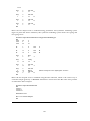
MPt 1 23
000
= 7.48 =
2.3 = =
= =-2.38 =
8.35 = =
= =-1.26 =
10.76 = =
= =+4.64 =
64.78 = =
= =-2.68 =
51.52 = =
49.62 =-2.02 =
164